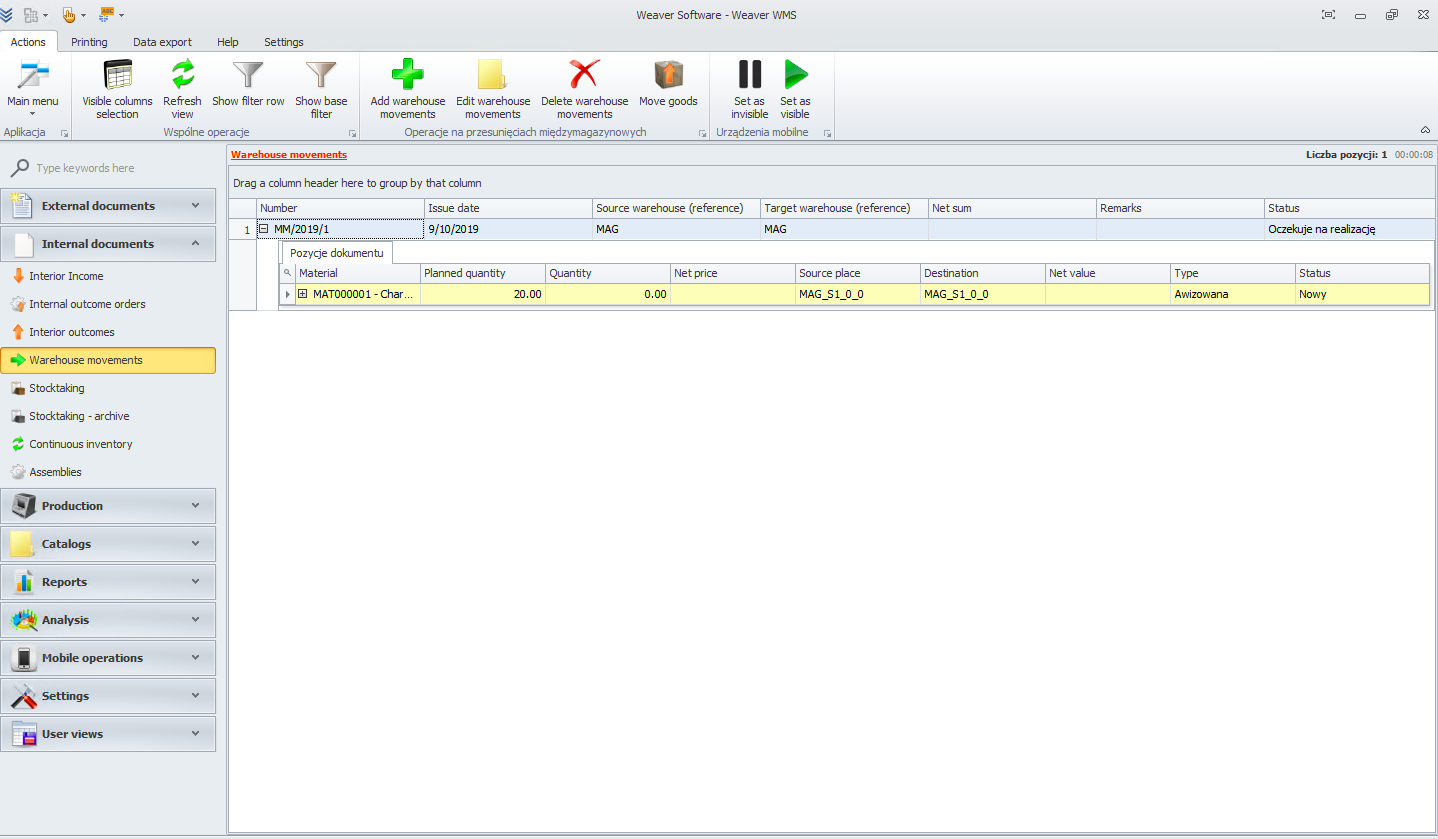
Warehouse movements
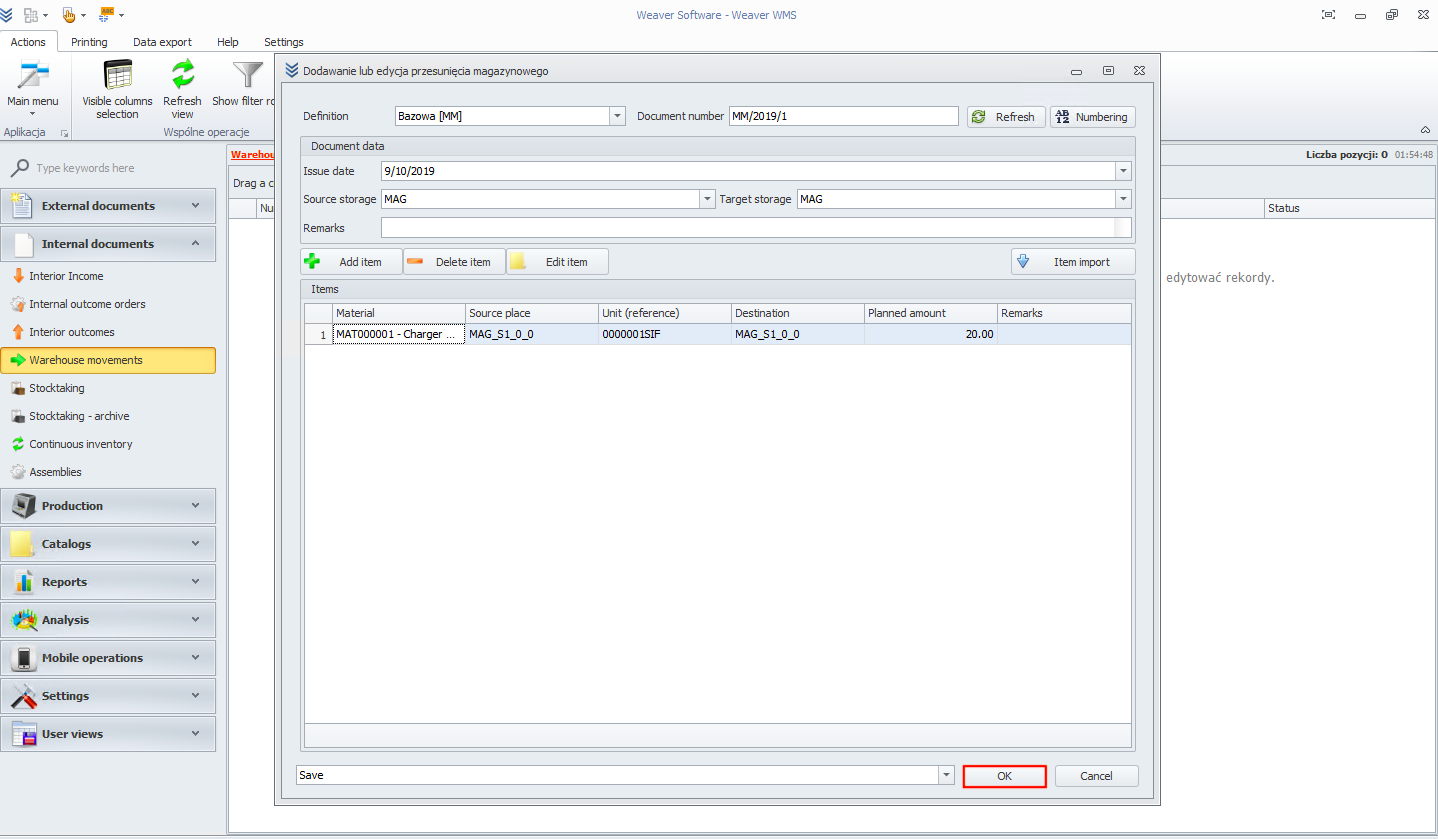
To start adding warehouse movements please click on add warehouse movements button.

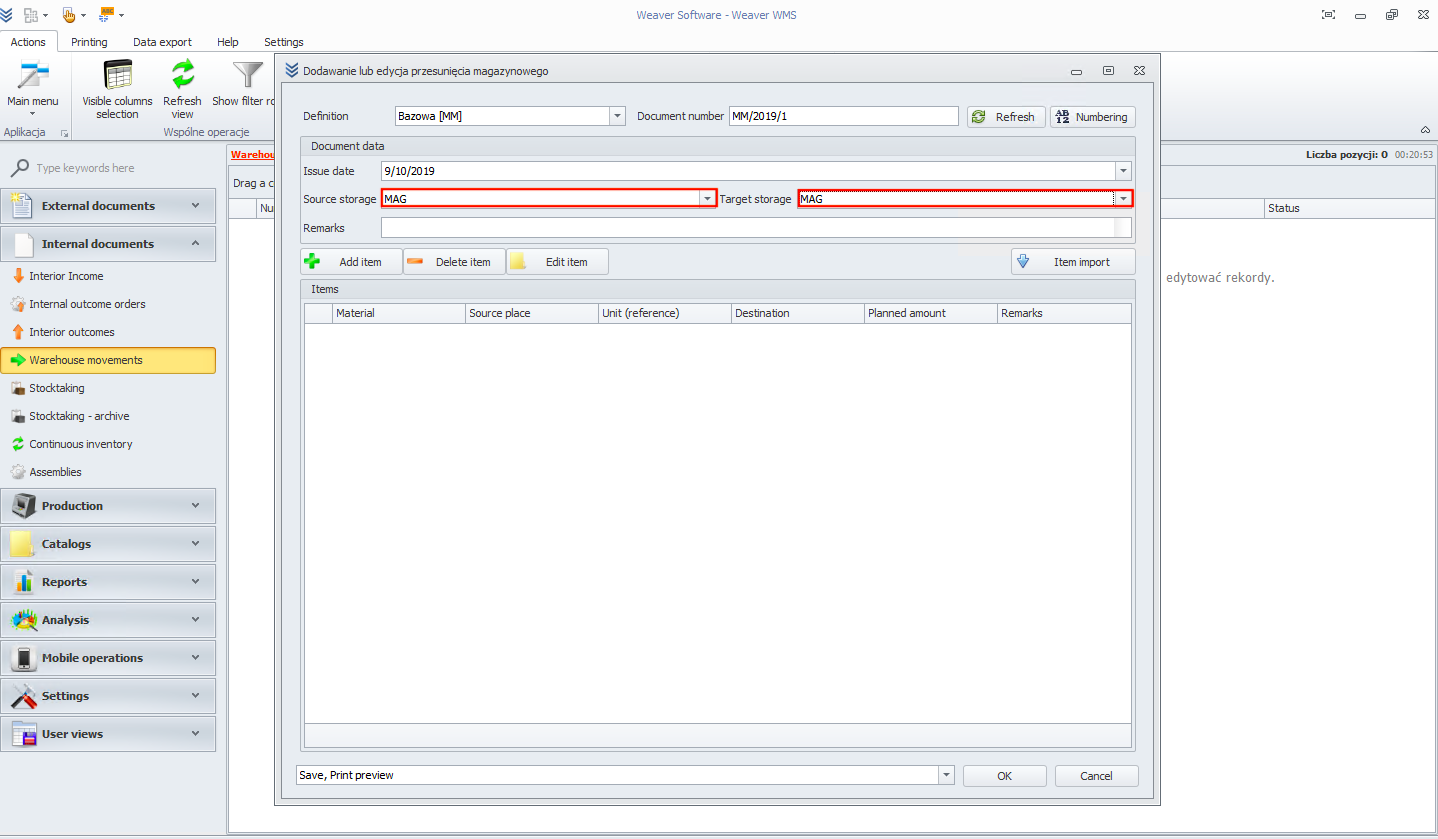
Now choose source and destination warehouse.
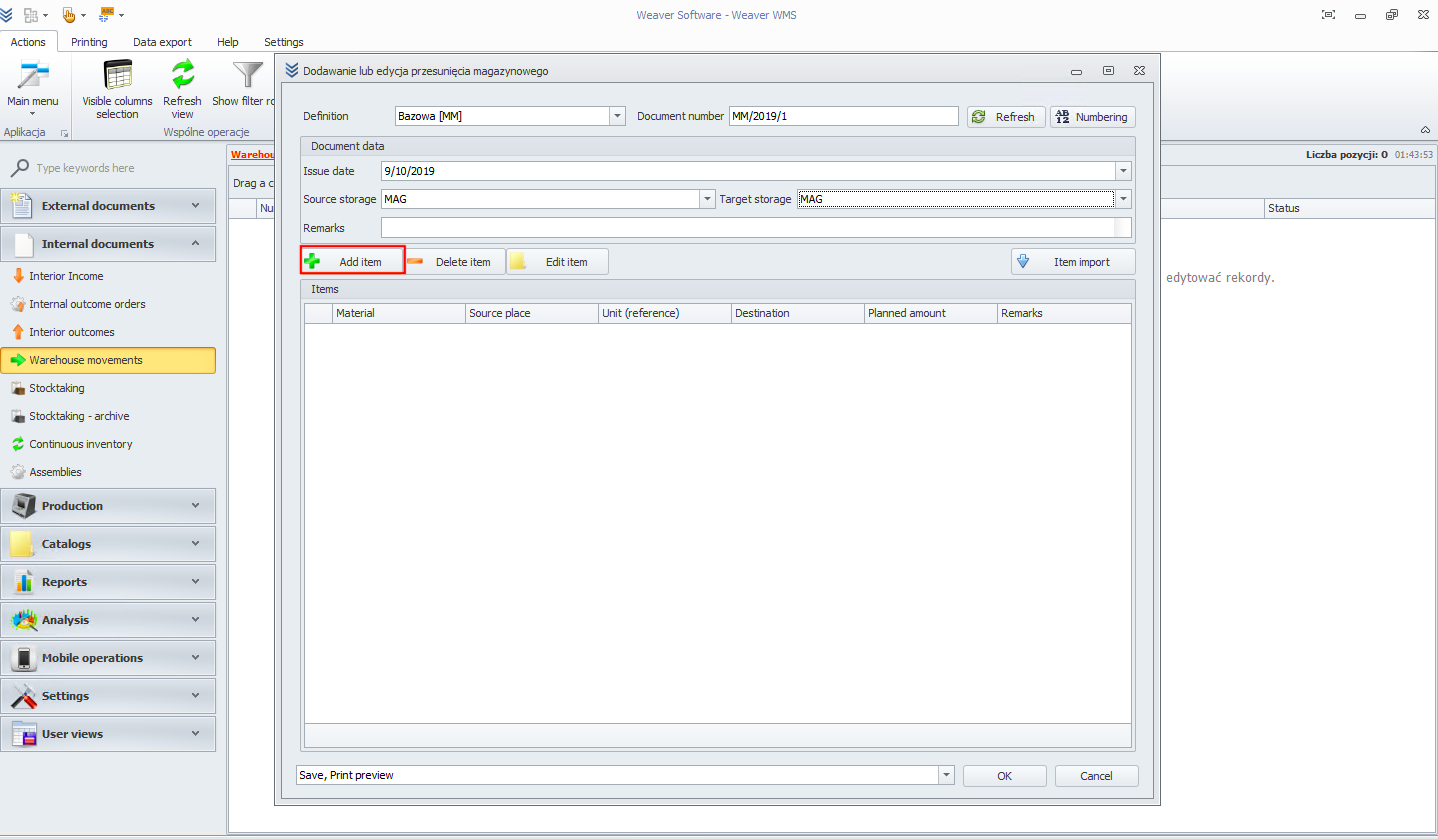
In next step click on add item button.
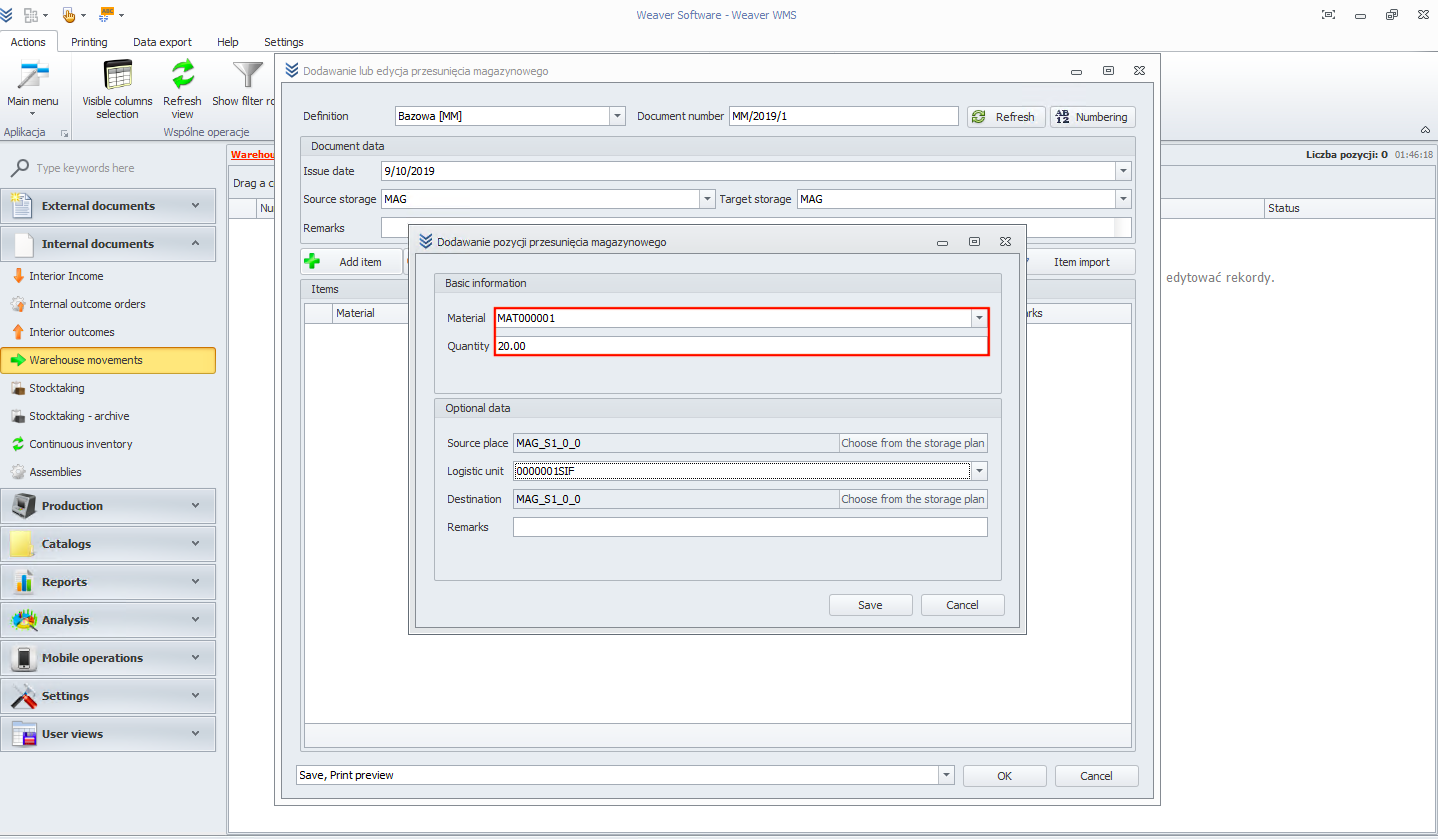
Now choose material and quantity.
Optionally you can add source place and destination place.
In the end click on ok button.
Your warehouse movement is finished and you can see details of it.