Interior outcomes
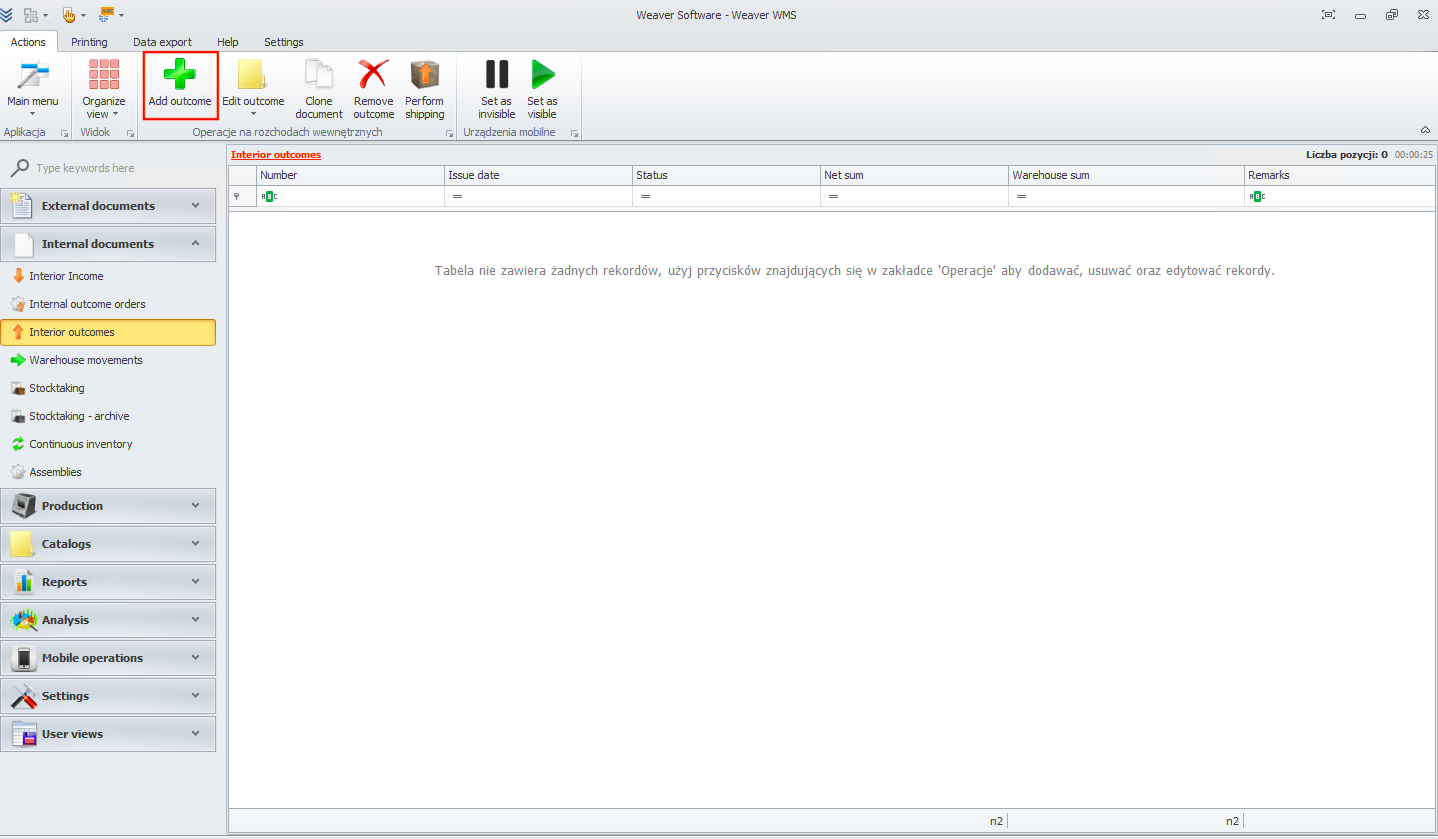
To create a new interior outcome, click on the add outcome button.
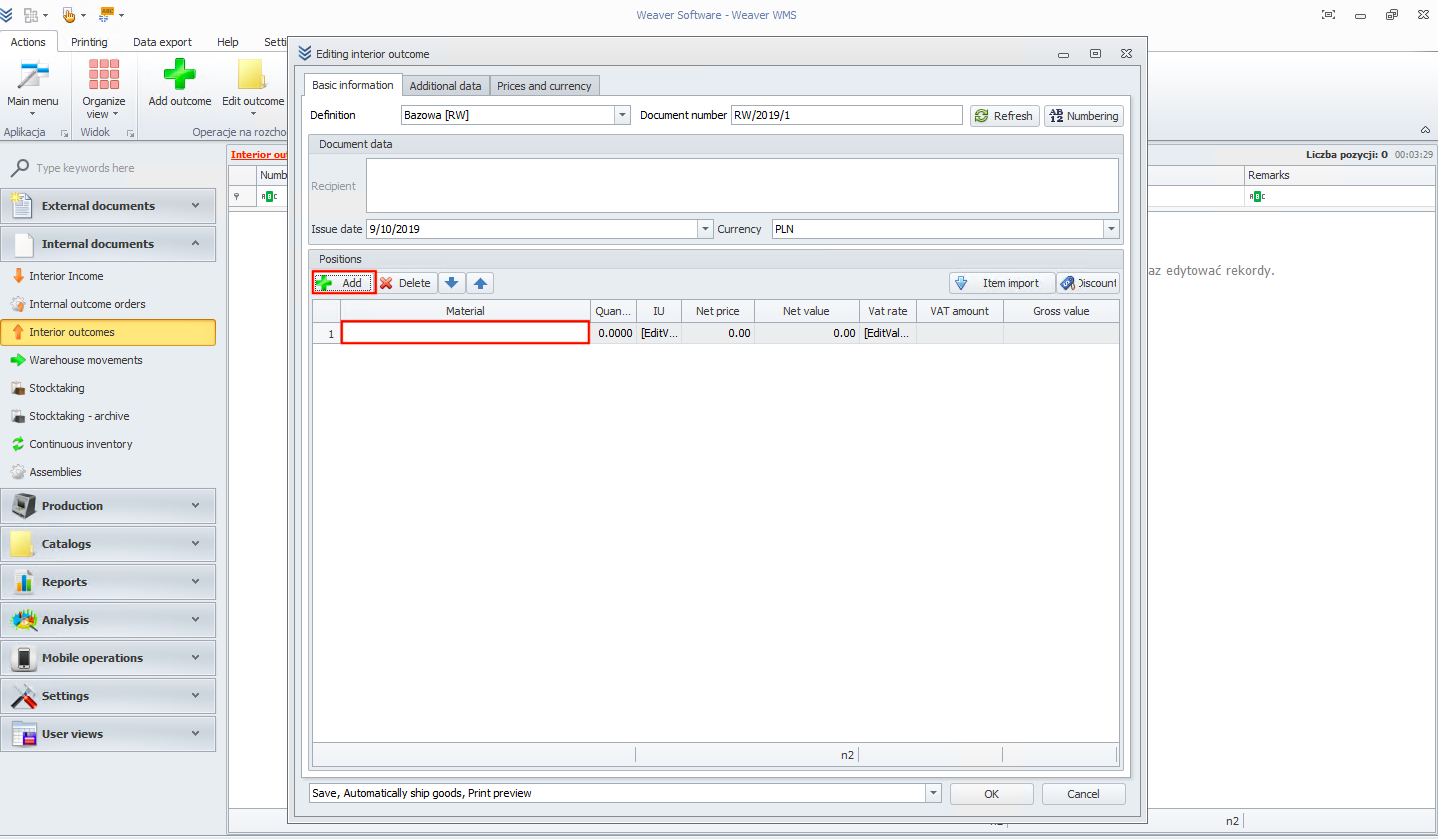
Now you need to add a position to your document. Click on the add button and then on the material field.
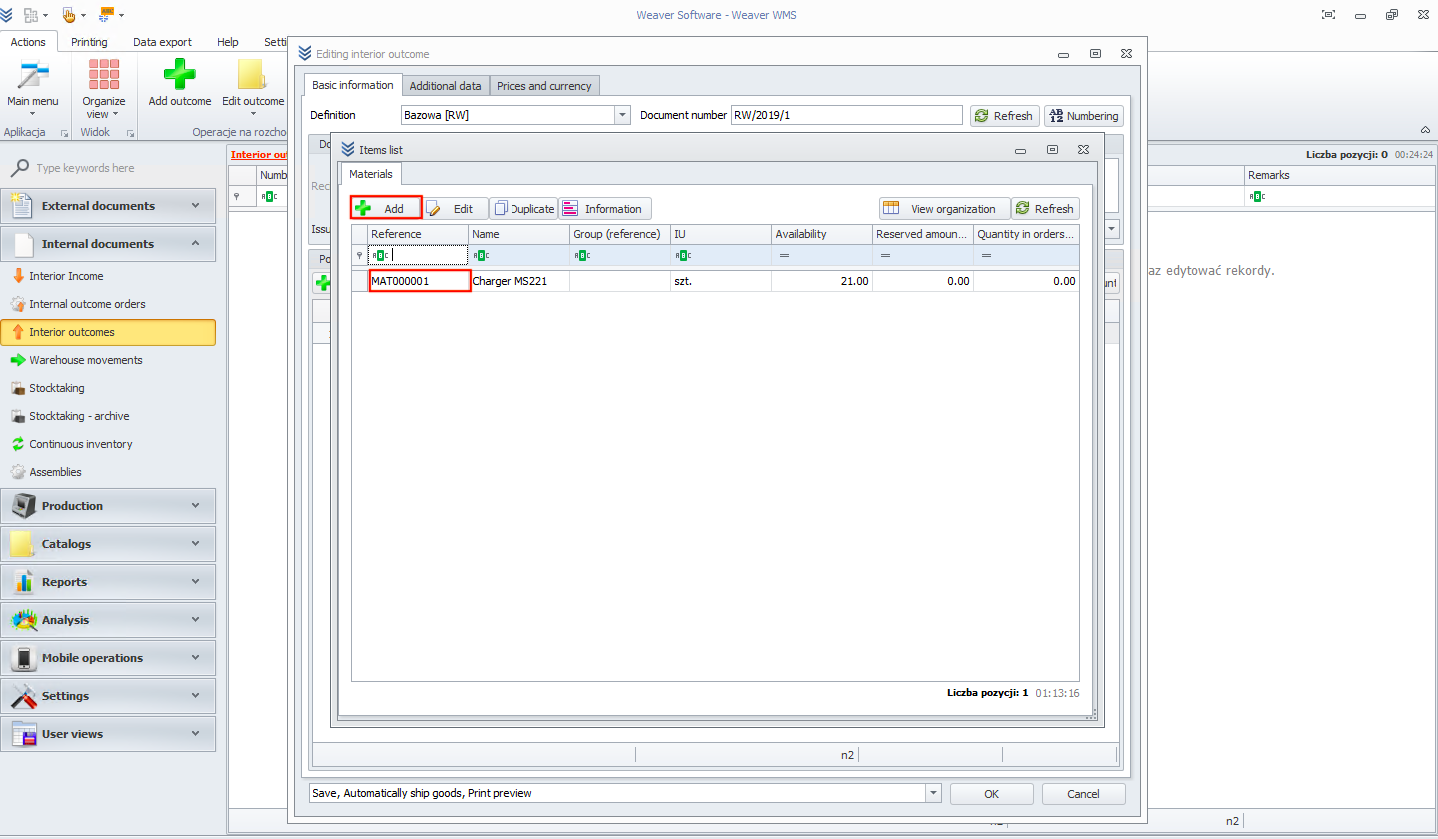
Now choose a material from the list or add a new one.
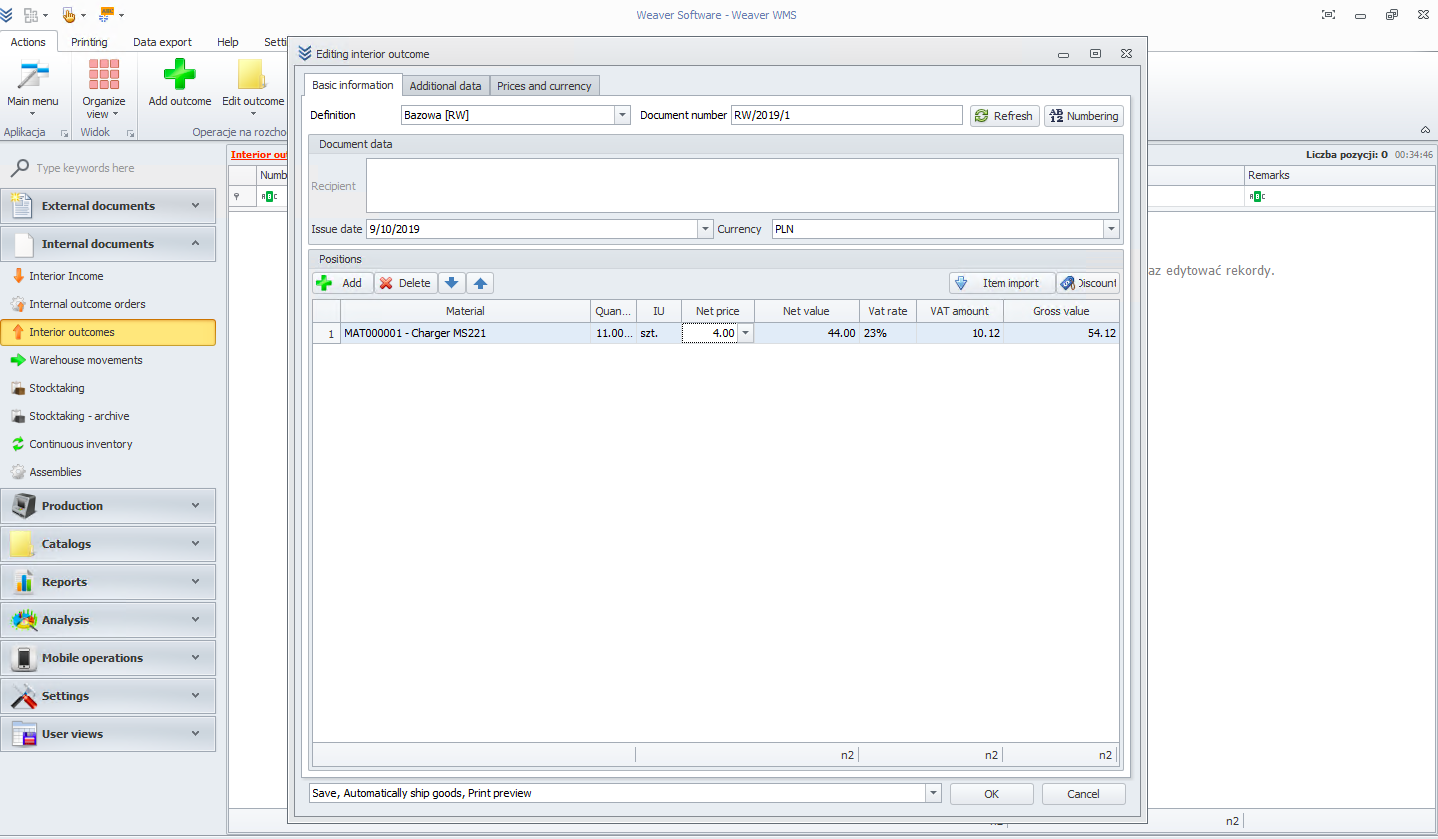
You can change your quantity and net price. To finish, click the ok button.
tip
If you don't want to ship goods now, uncheck the automatically ship goods option from the drop-down menu. After that, you can use the perform shipping button to ship goods.