Stocktaking - archive
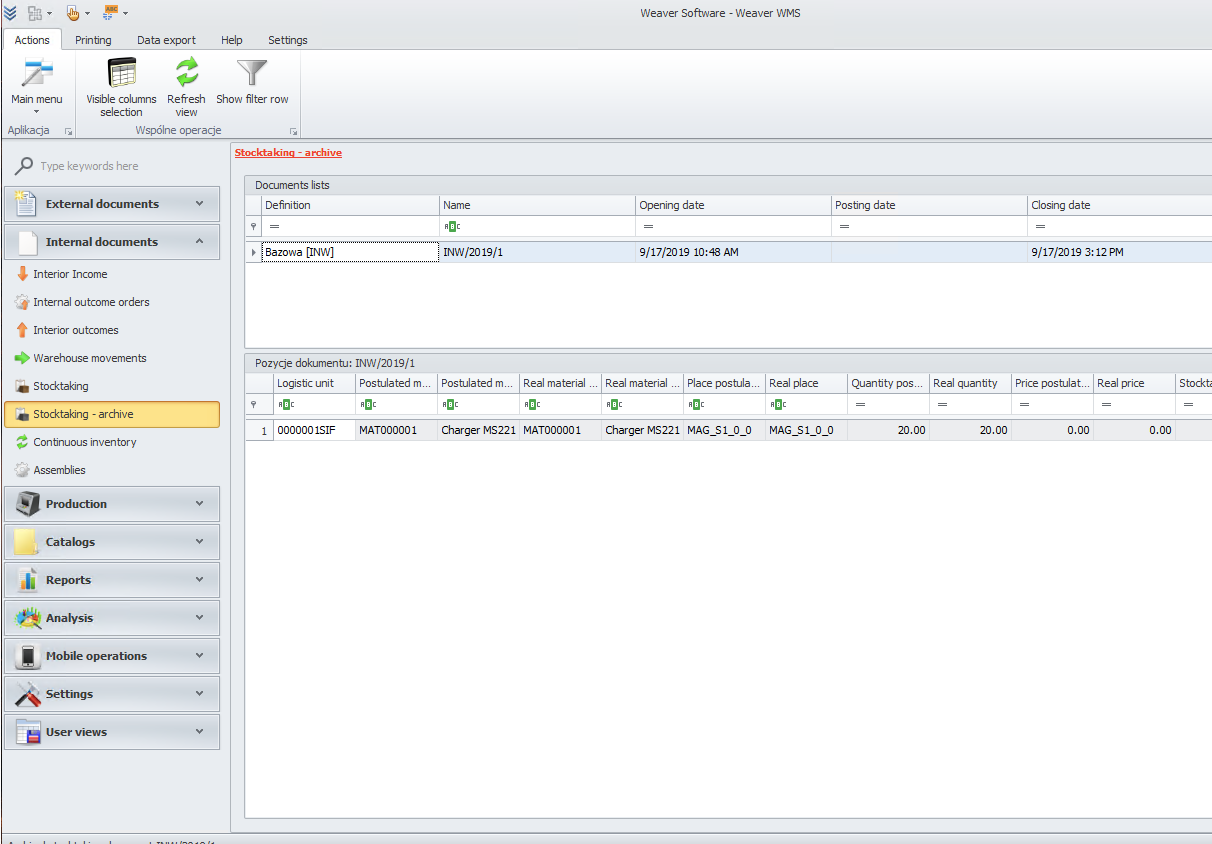
In this module, you can see stocktaking that you moved to the archive.
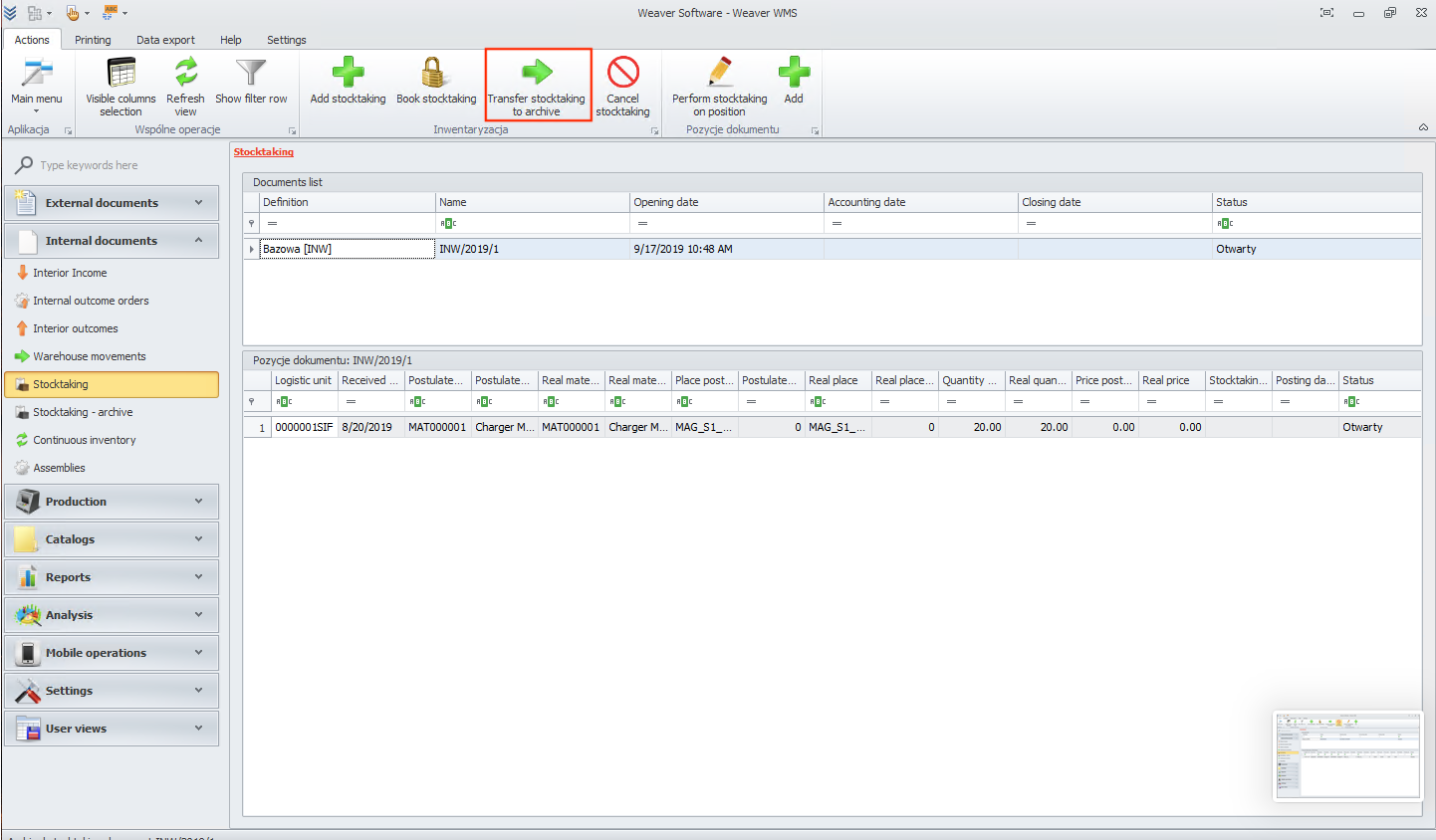
To do that, please go to the stocktaking module and select the position that you want to move.
Now click on transfer stocktaking to archive button.
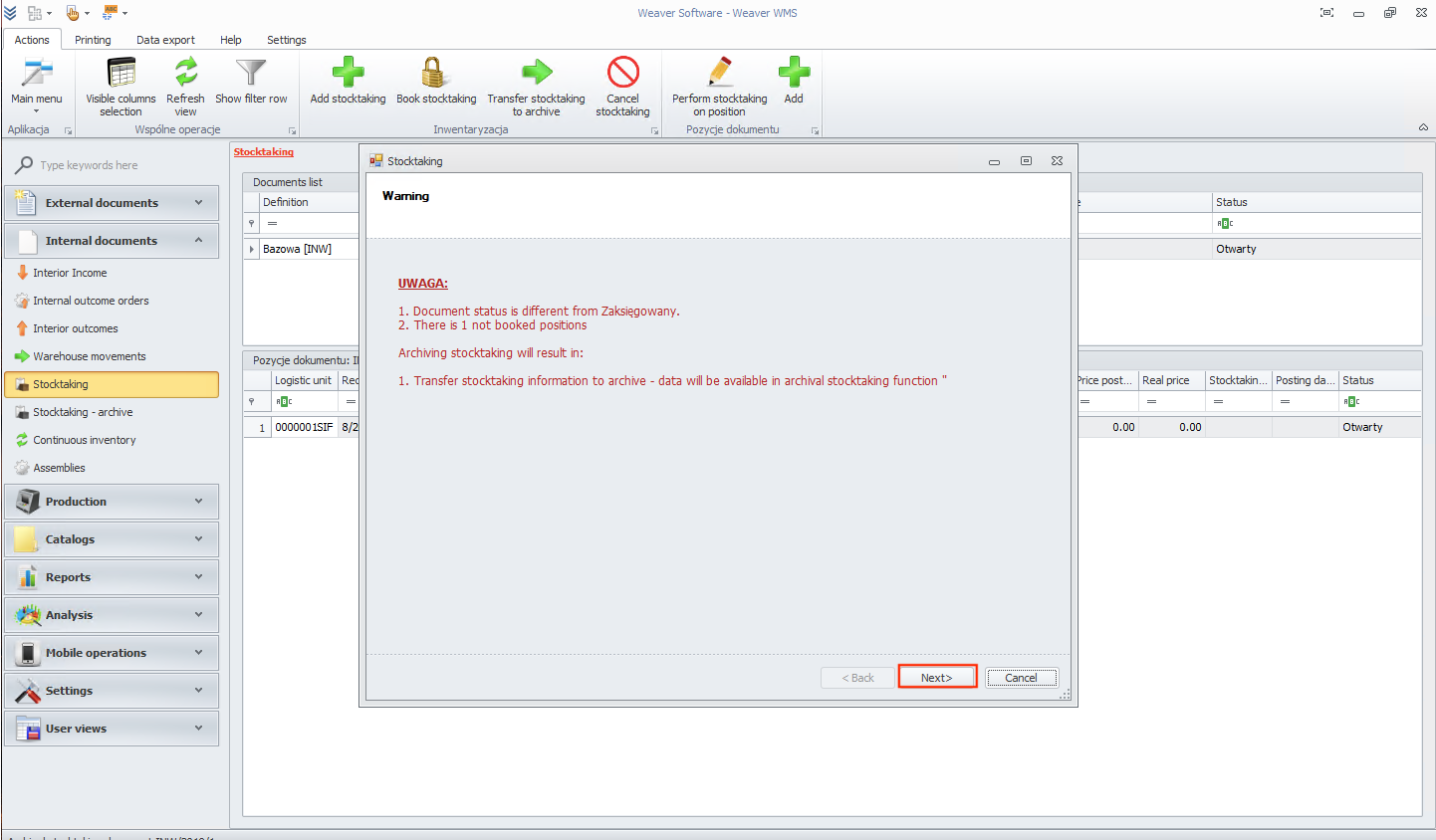
You will see that a new window has opened. Click on the next button.
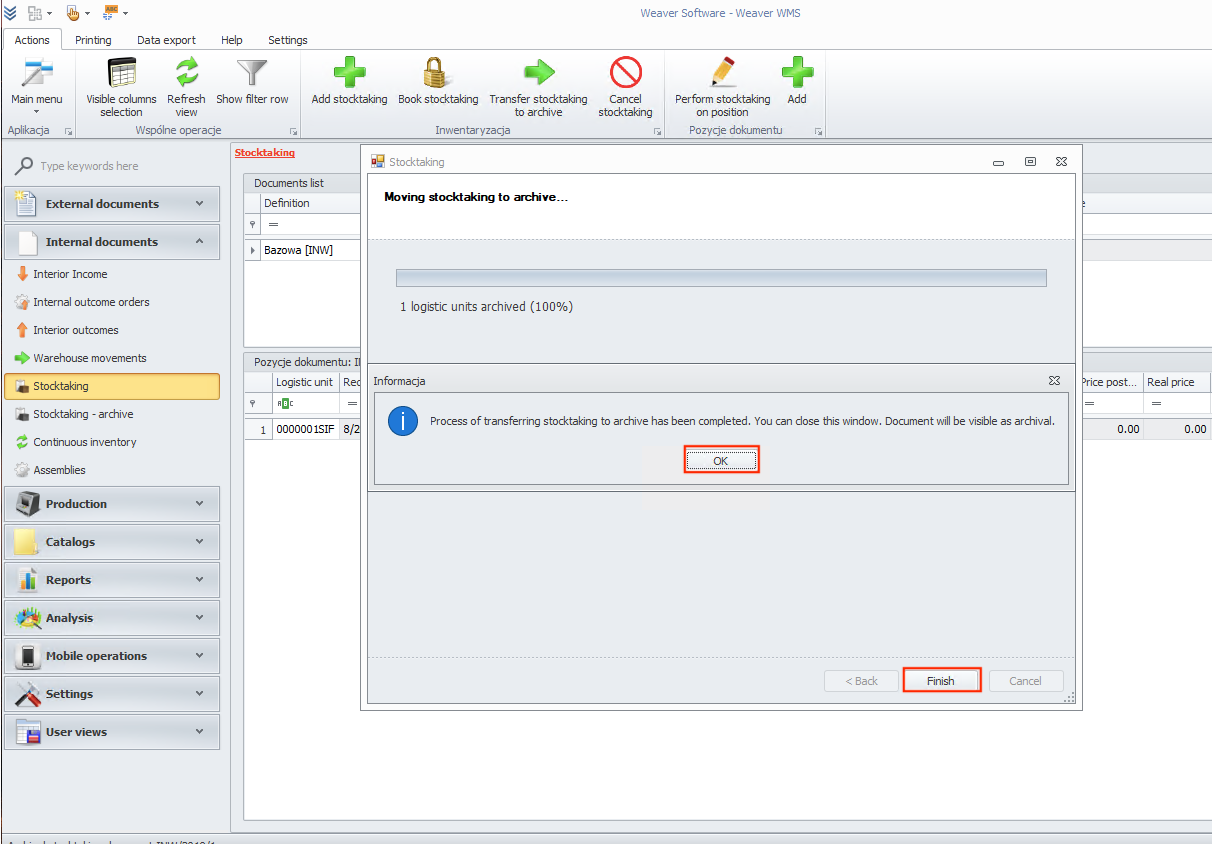
In the end, click the ok and finish button.
Now you can go back to the stocktaking - archive module. As you can see, your archival stocktaking is visible now.
important
Materials that are in stocktaking are blocked. If you want to unblock them, cancel the stocktaking or book the stocktaking and then transfer it to the archive.