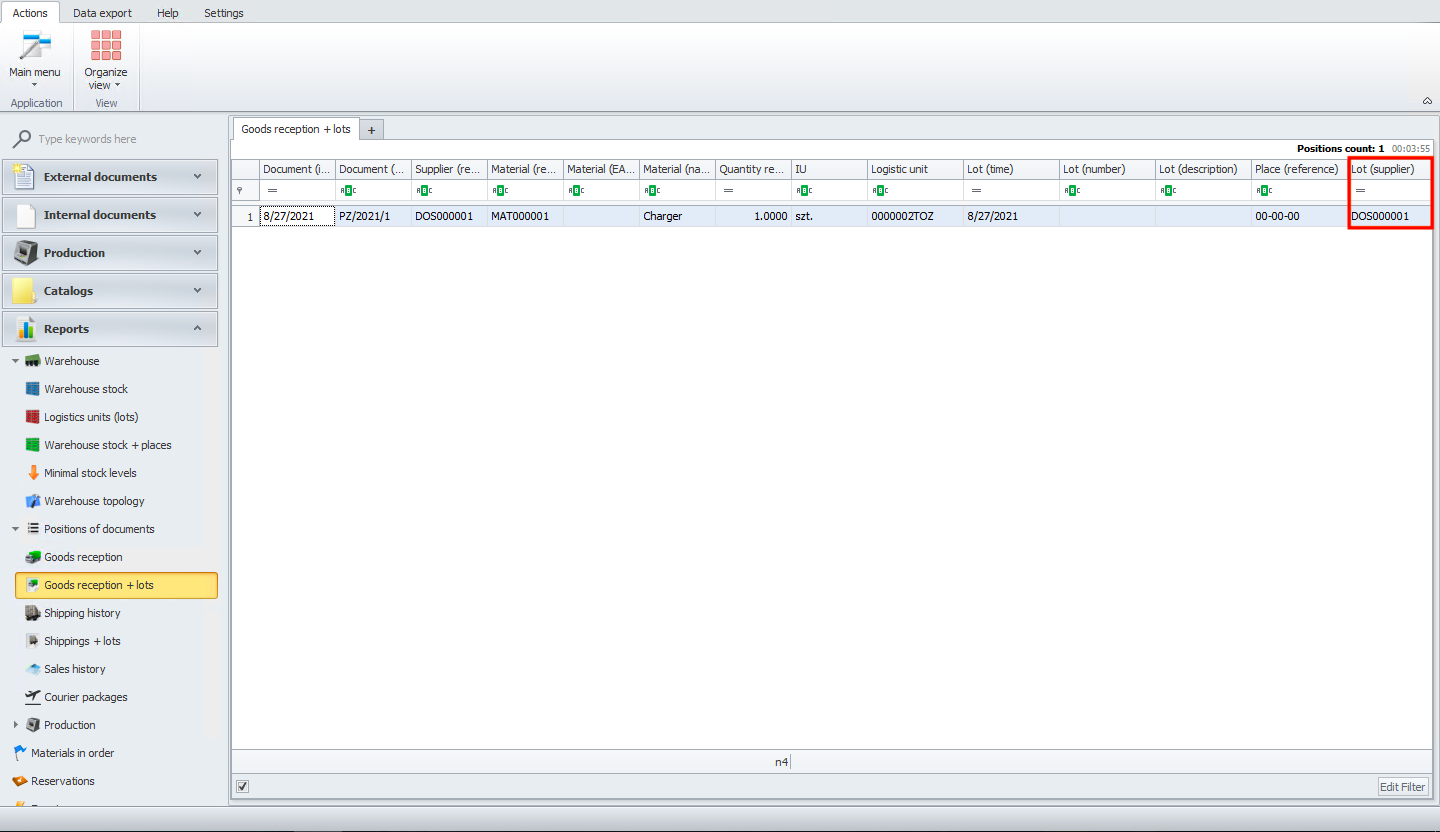
Goods reception + lots
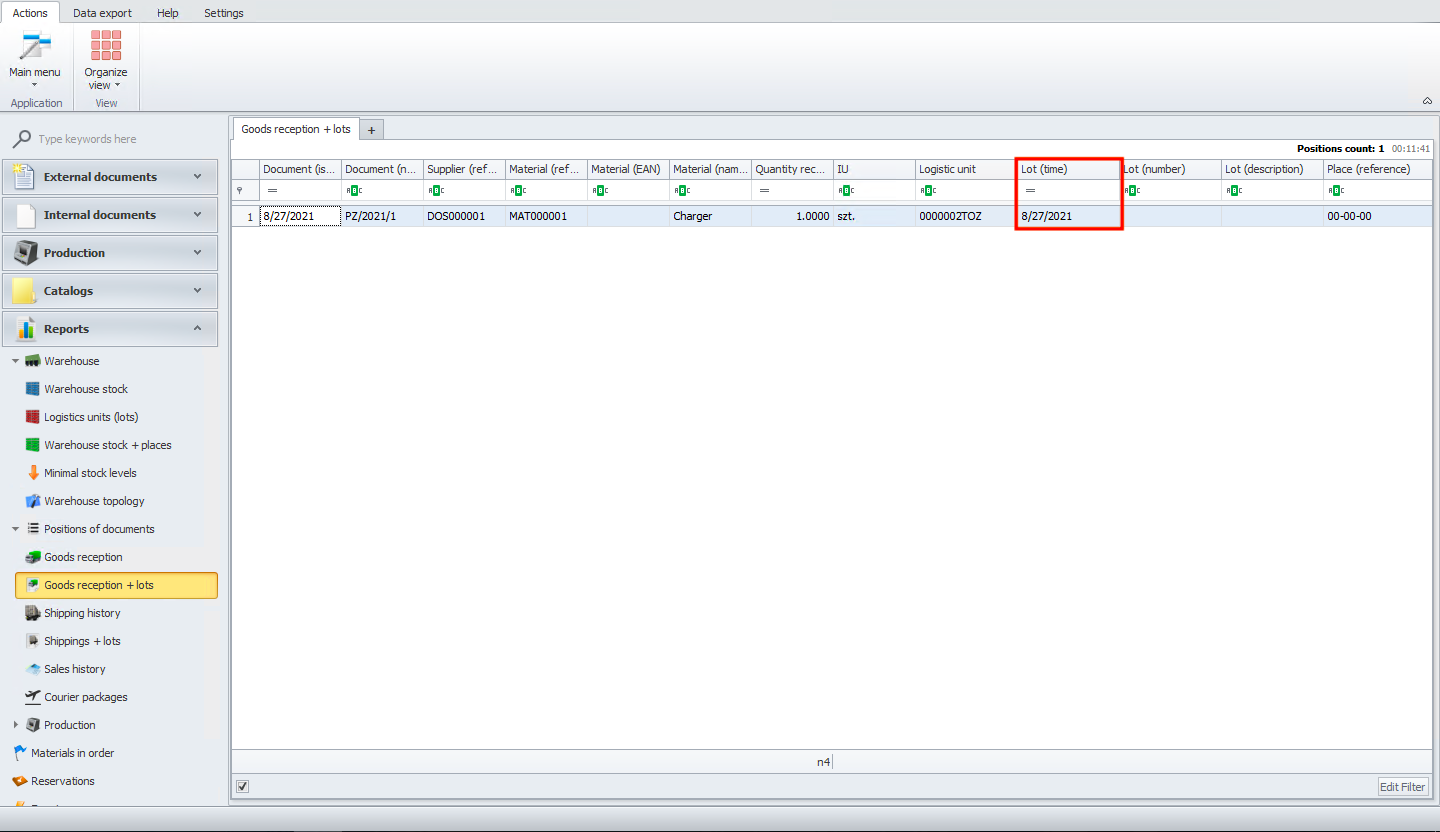
In goods reception + lots, you will see a list of goods that were delivered to your warehouse with details about the lot. For example, below you can see lot (time).
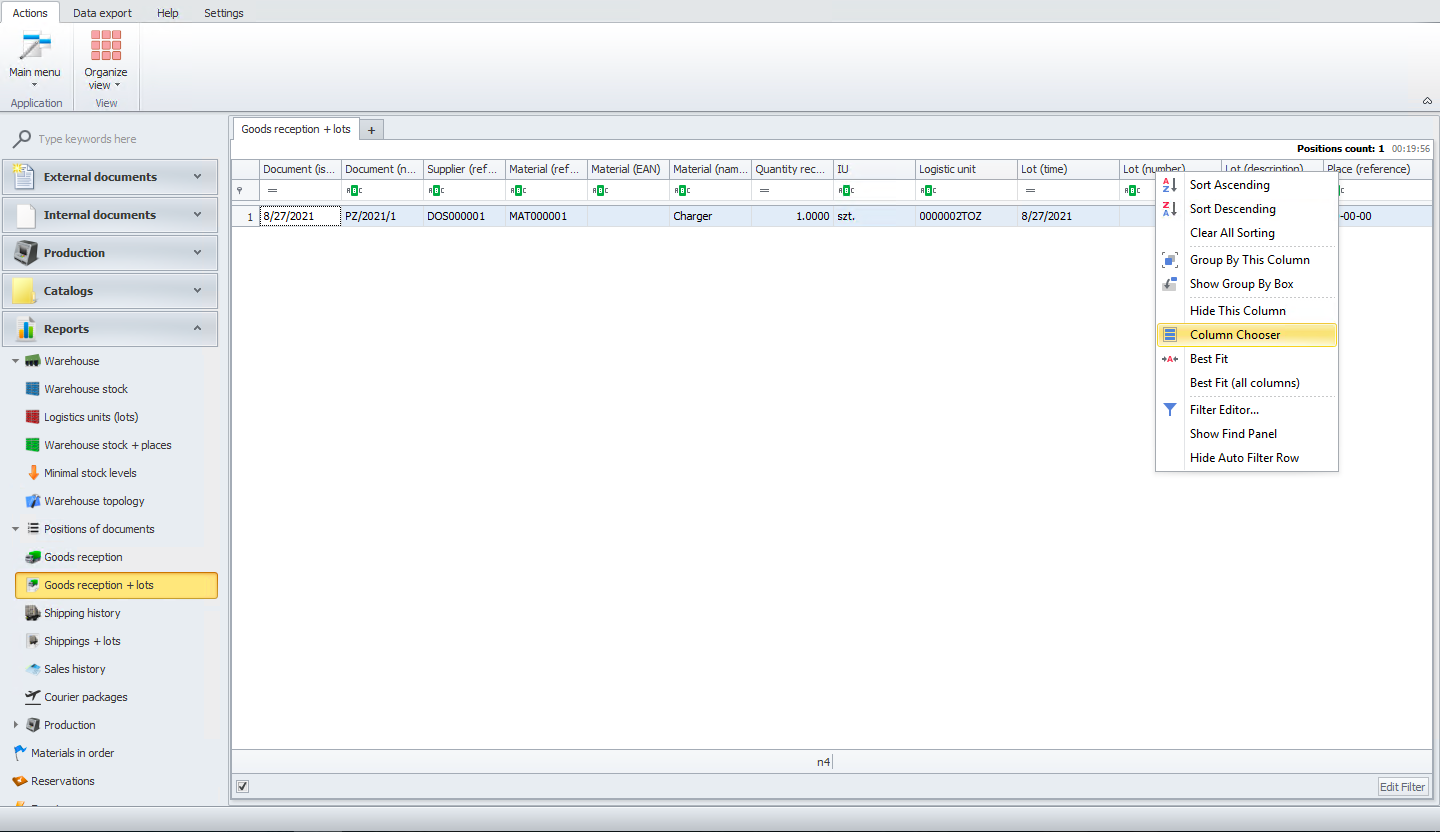
If you want to manage the visibility of columns, please right-click on one column and then choose column chooser.
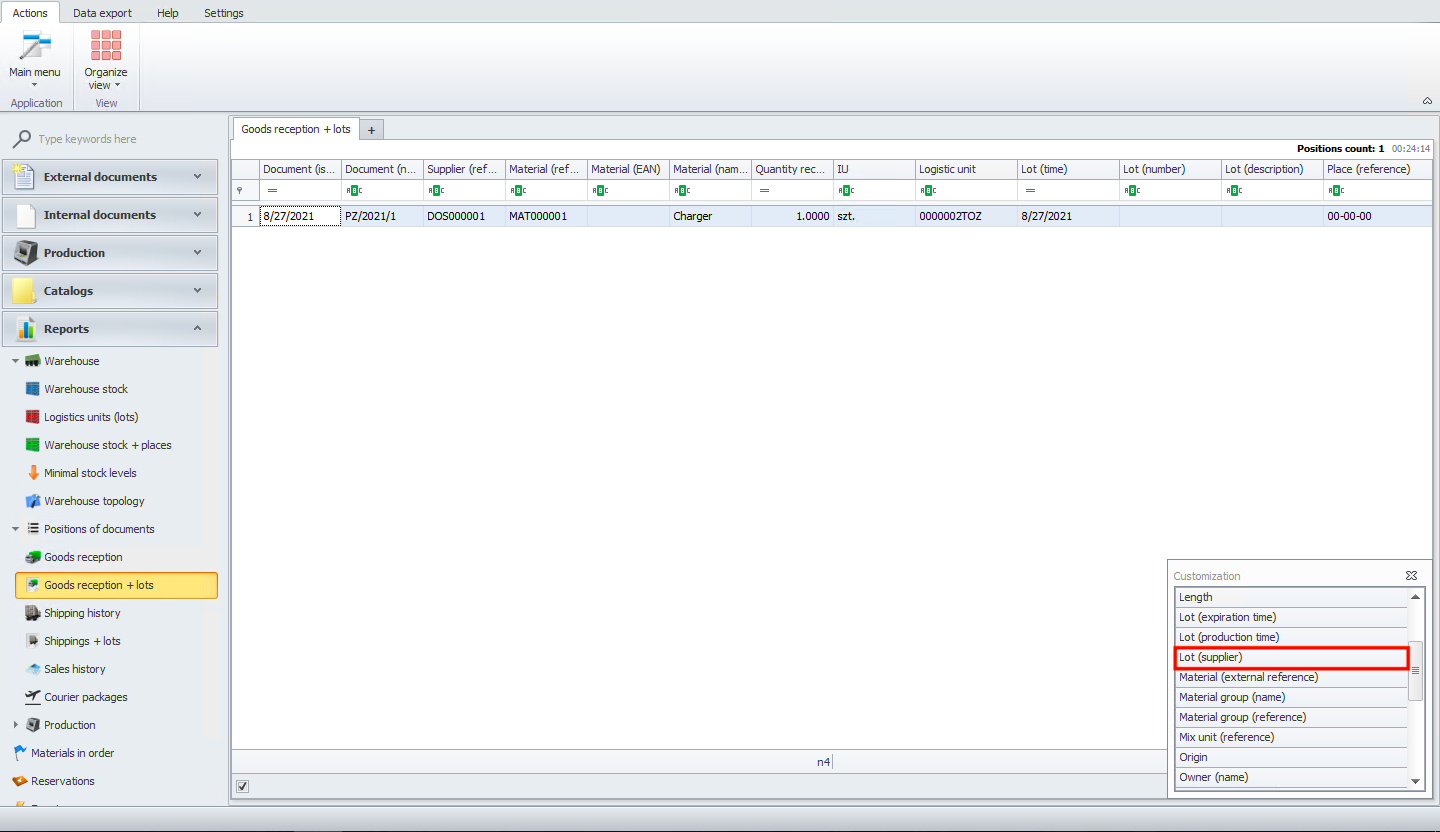
You will see a list of columns that you can add to your view. For example, lot (supplier).
After you choose a column by double-clicking, you will see it in the main view.