Production documents
In this module you can add and manage production documents.
To start please click the add button.

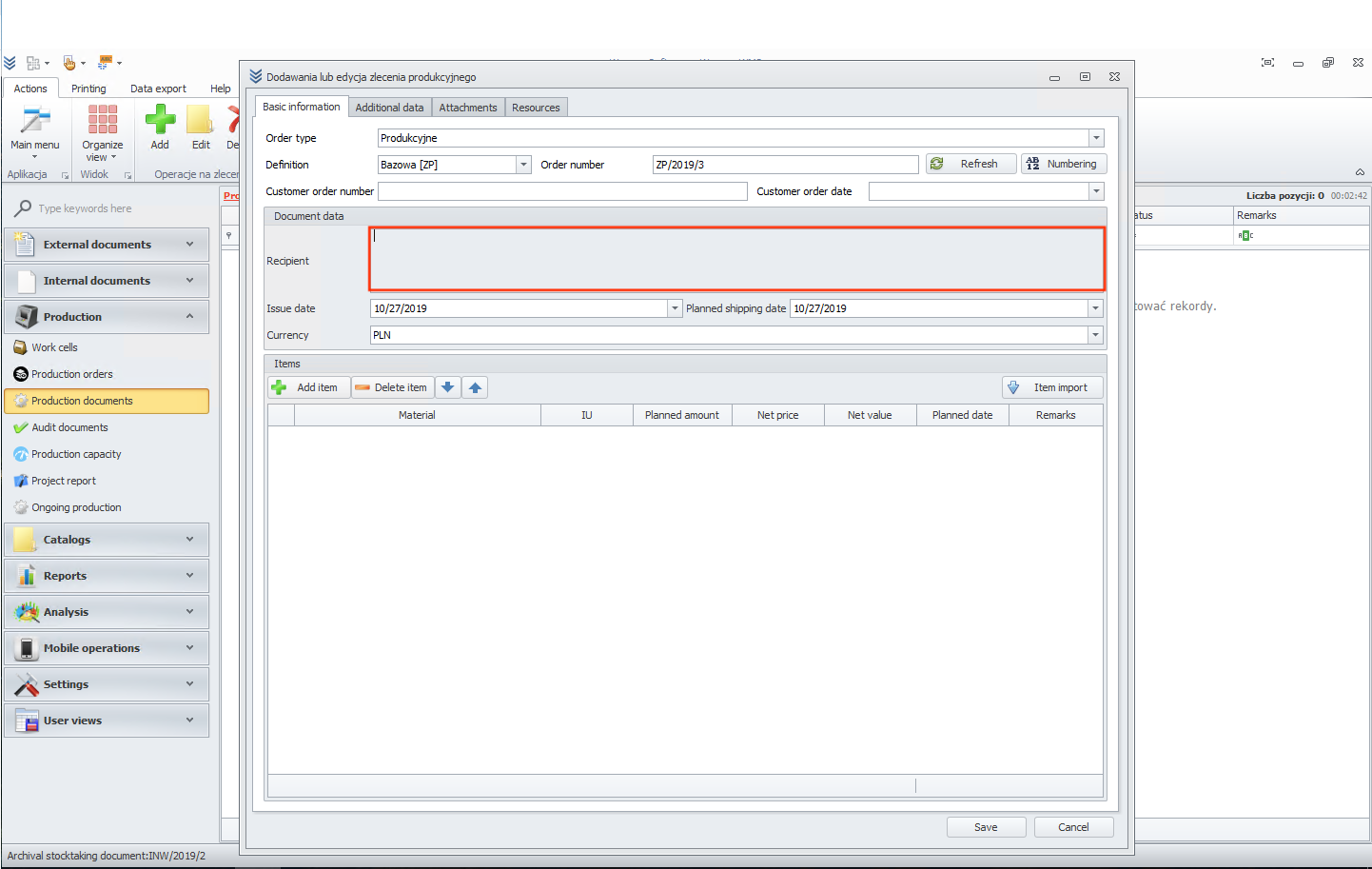
Now click on the recipient field.
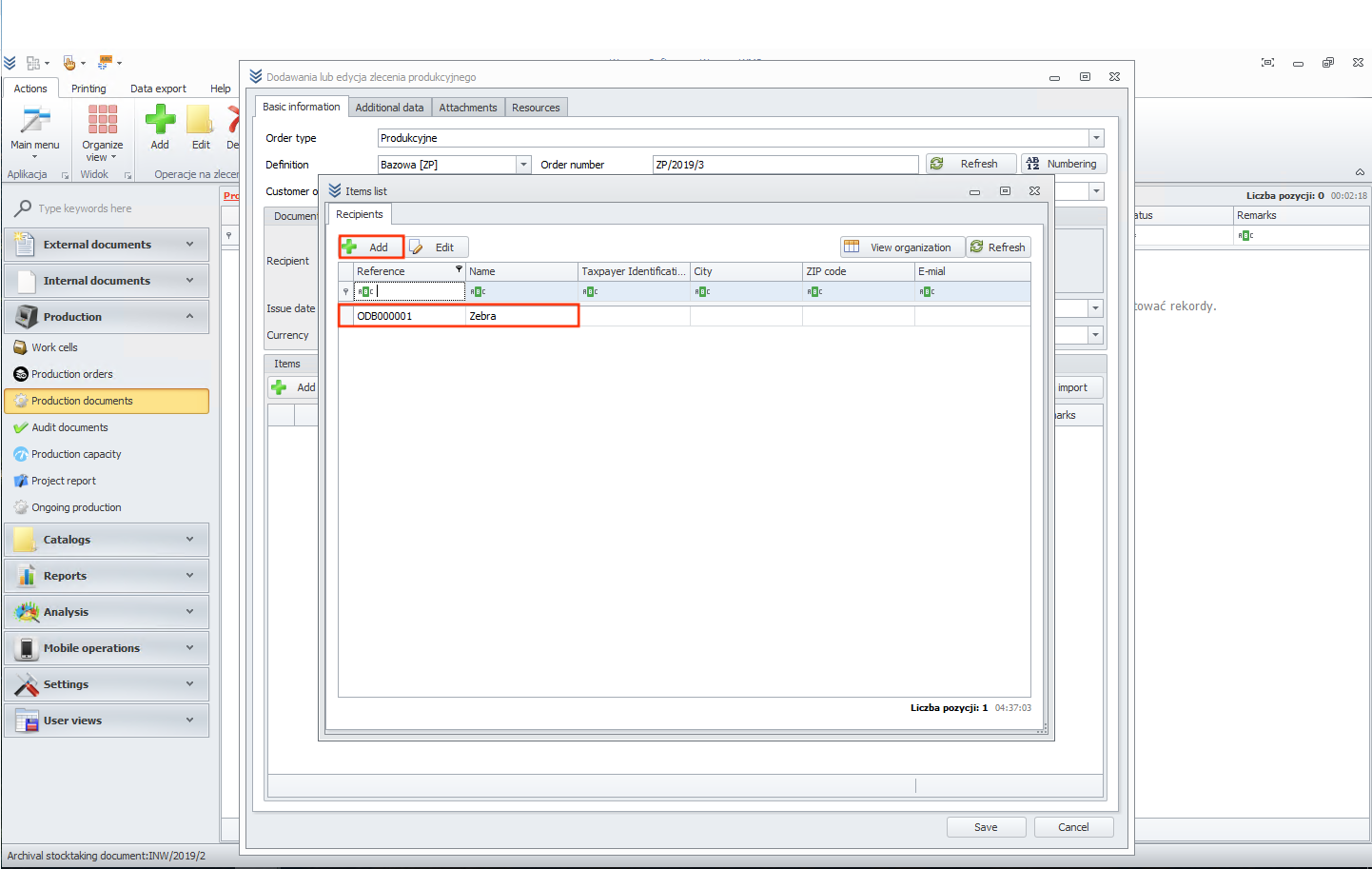
Choose it from the list or add a new one.
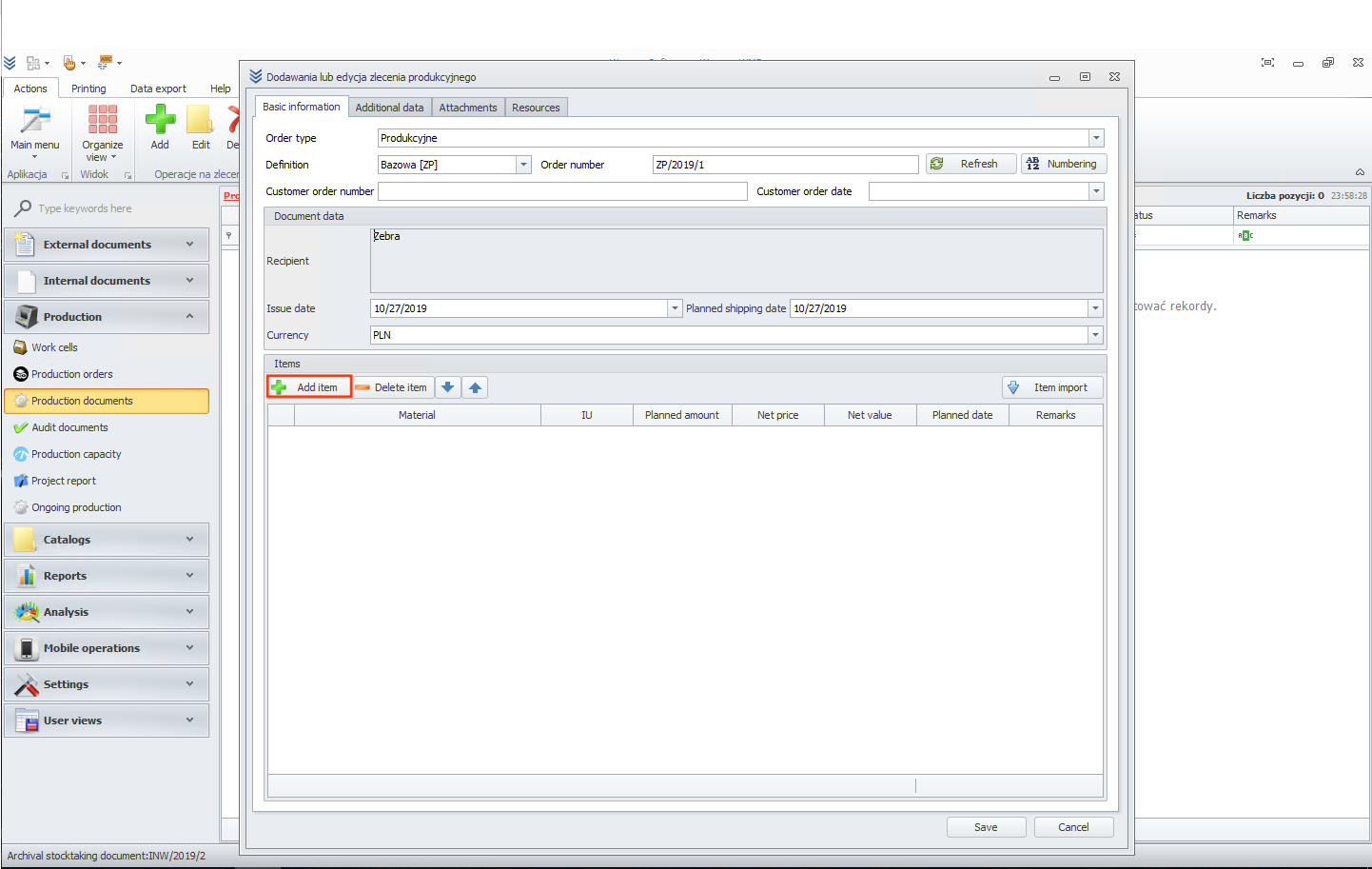
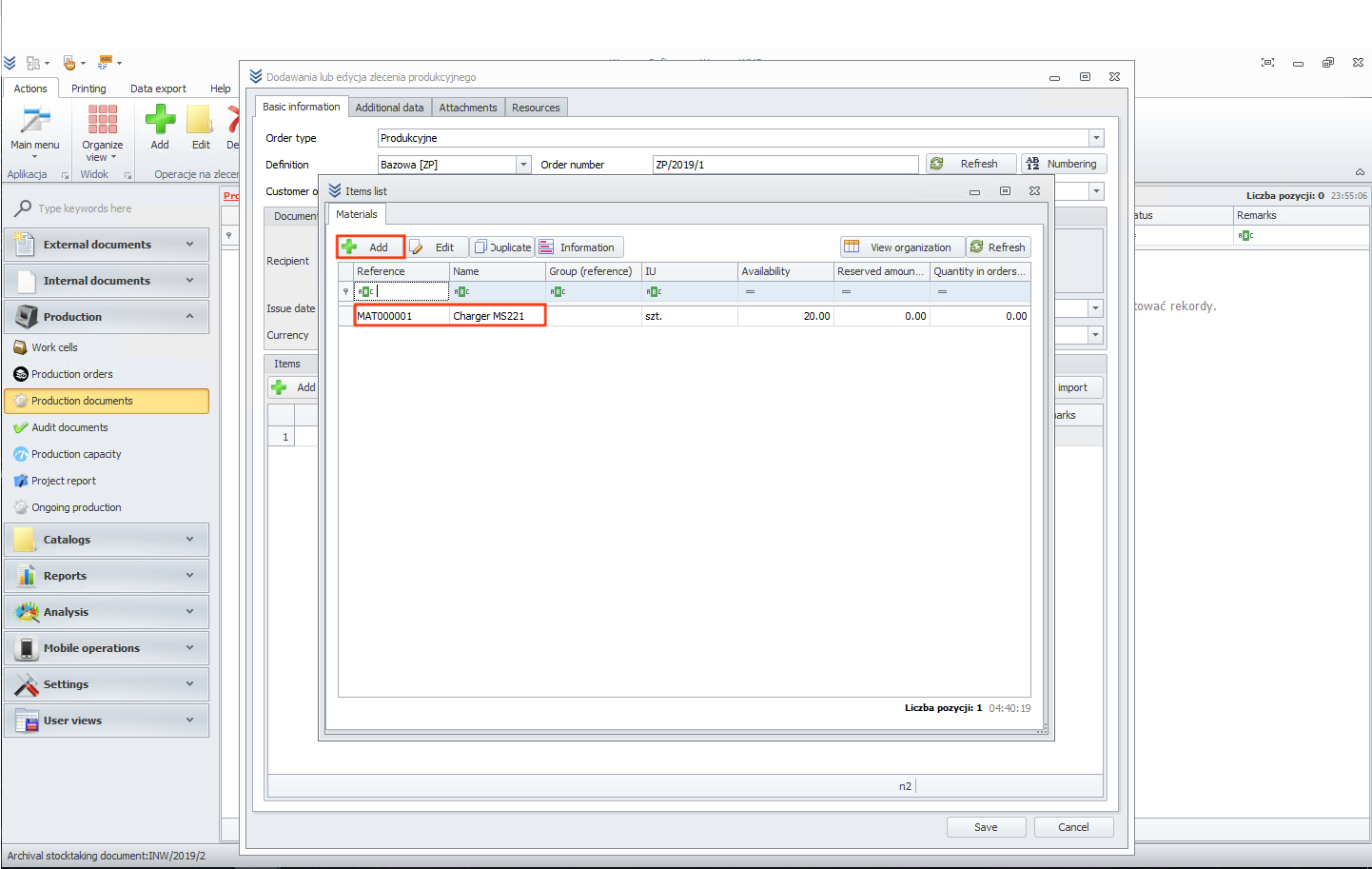
Now click on the add item button.
In the next step, we will add material. To start, please click on the material field.
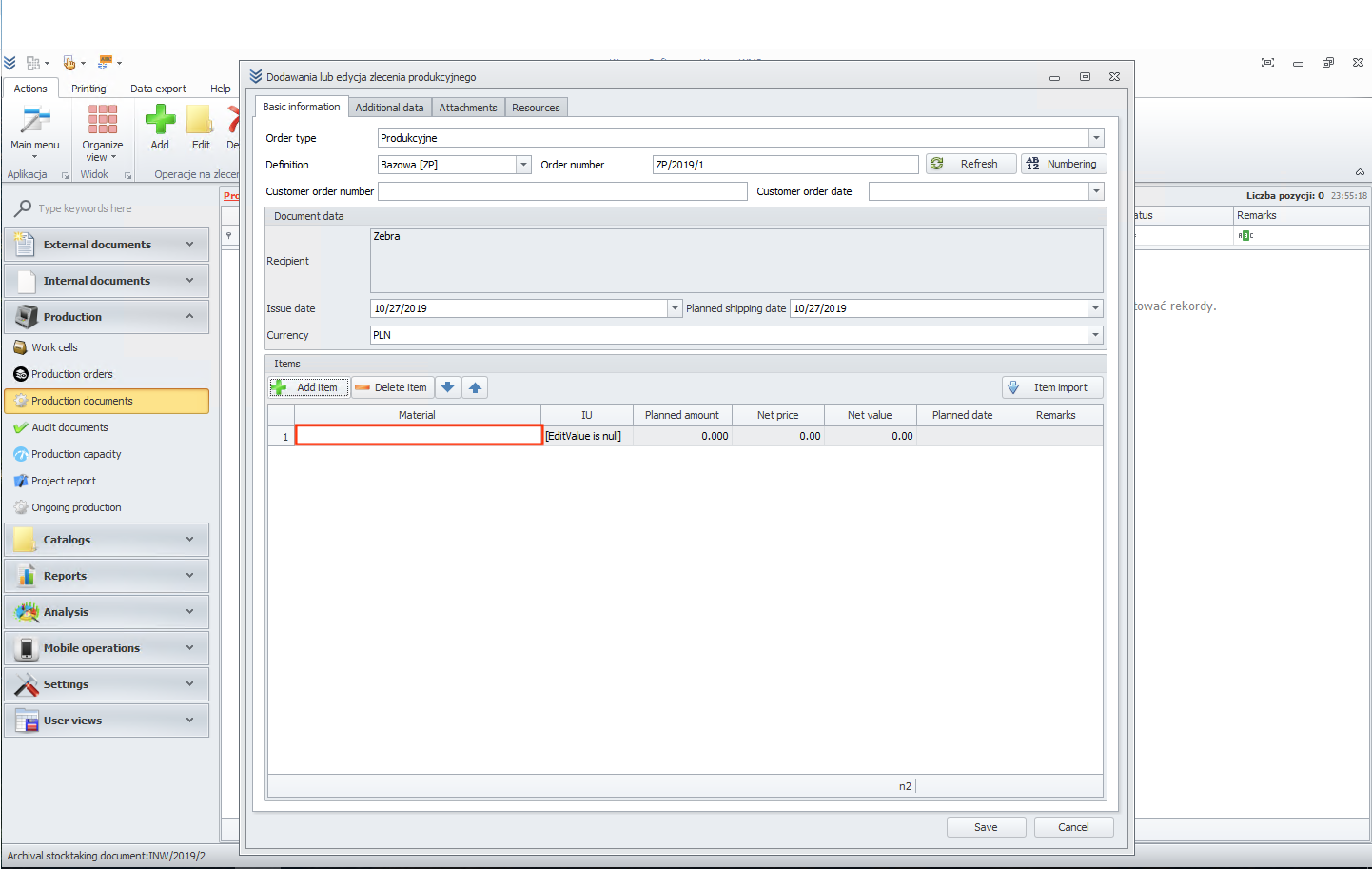
Now choose material from the list. You can also add a new one or, for example, duplicate an existing one. All additional options are located above the table.
In the end, click the save button. You should see the newly added document.
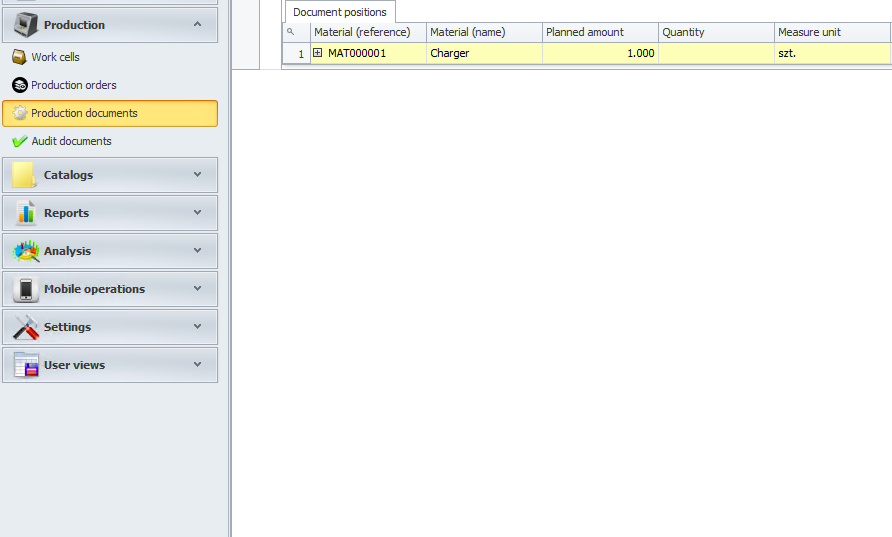
Notice that at the top of the page, there are some additional options. For example, you can create a movement document.
