Materials
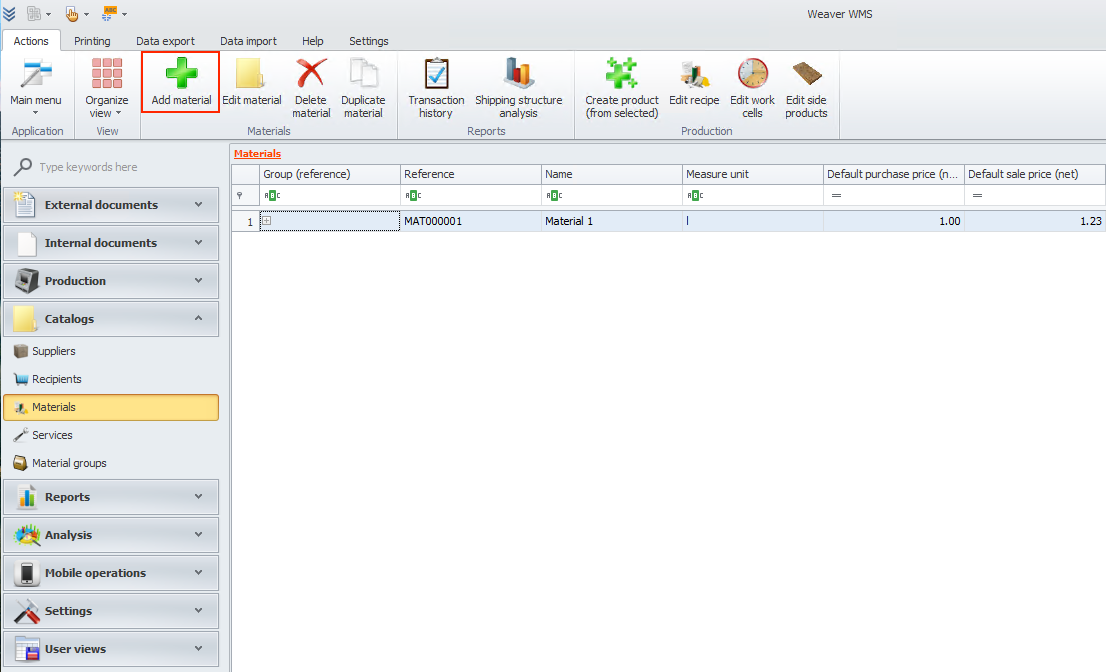
In Weaver WMS, users can add a new material. To do that, click on the add material button.
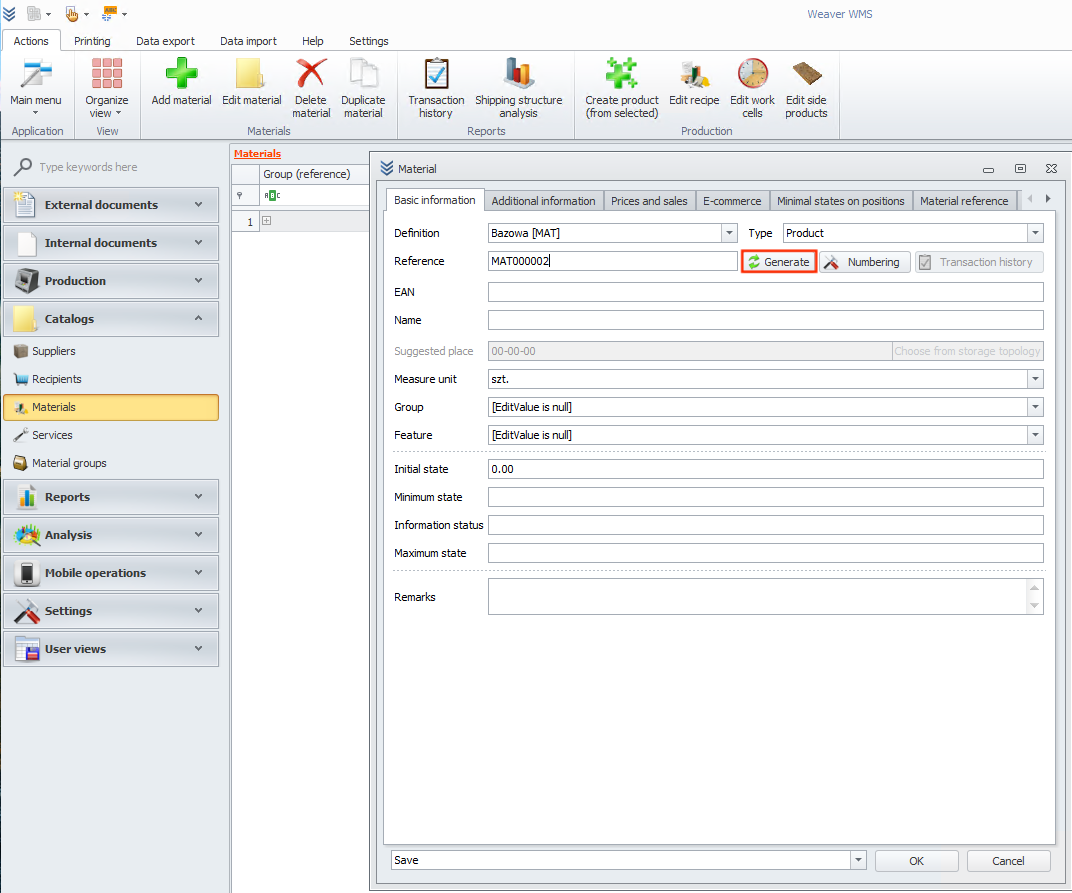
Add basic information about the material. You can use the generate button to create a reference number.
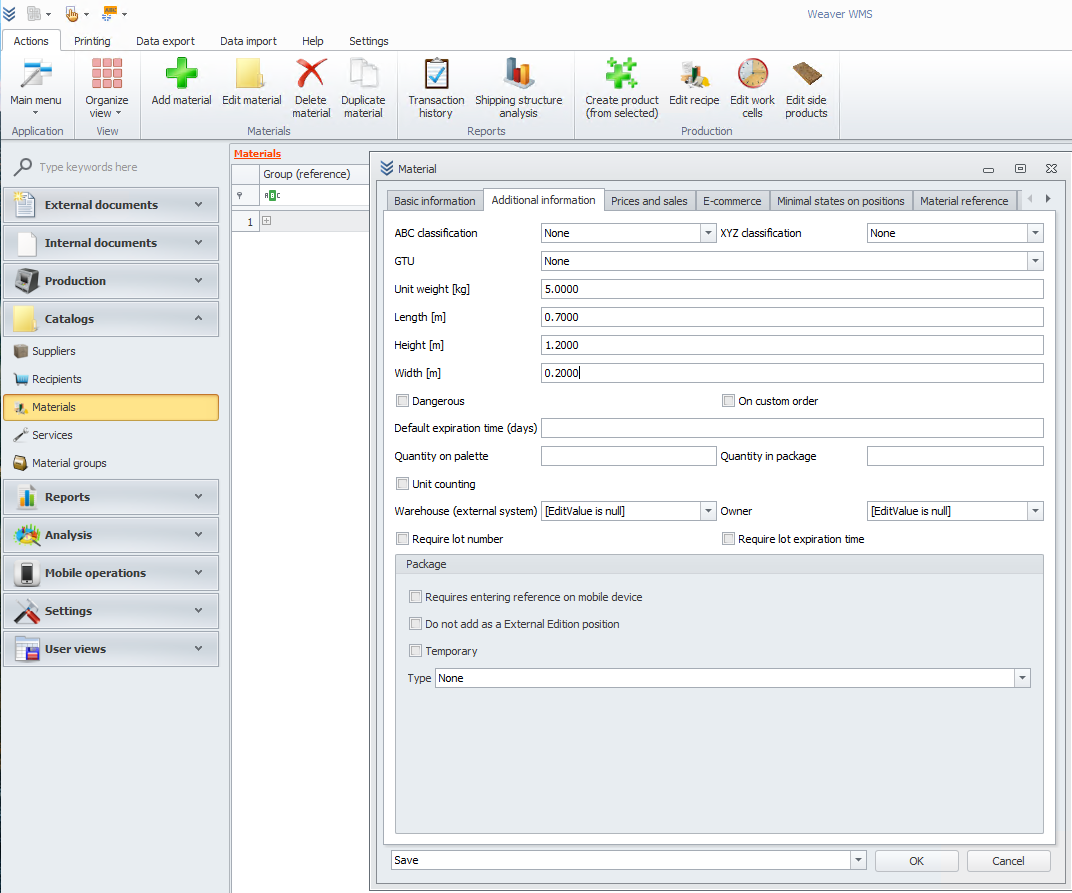
If you want, you can add additional information like dimensions. This data will be visible later on your materials list. After that, click the ok button.
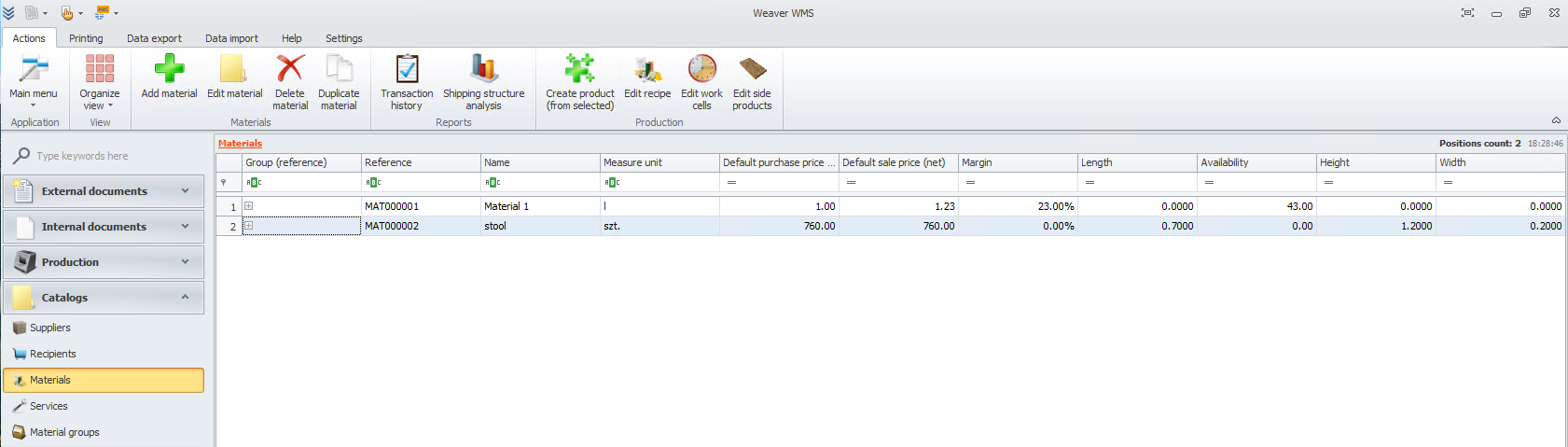
Ok, you have finished adding a material, and all the data is now visible.