Assigning Serial Numbers
1. Configuring Serial Number Assignment
To enable the assignment of serial numbers to an item:
-
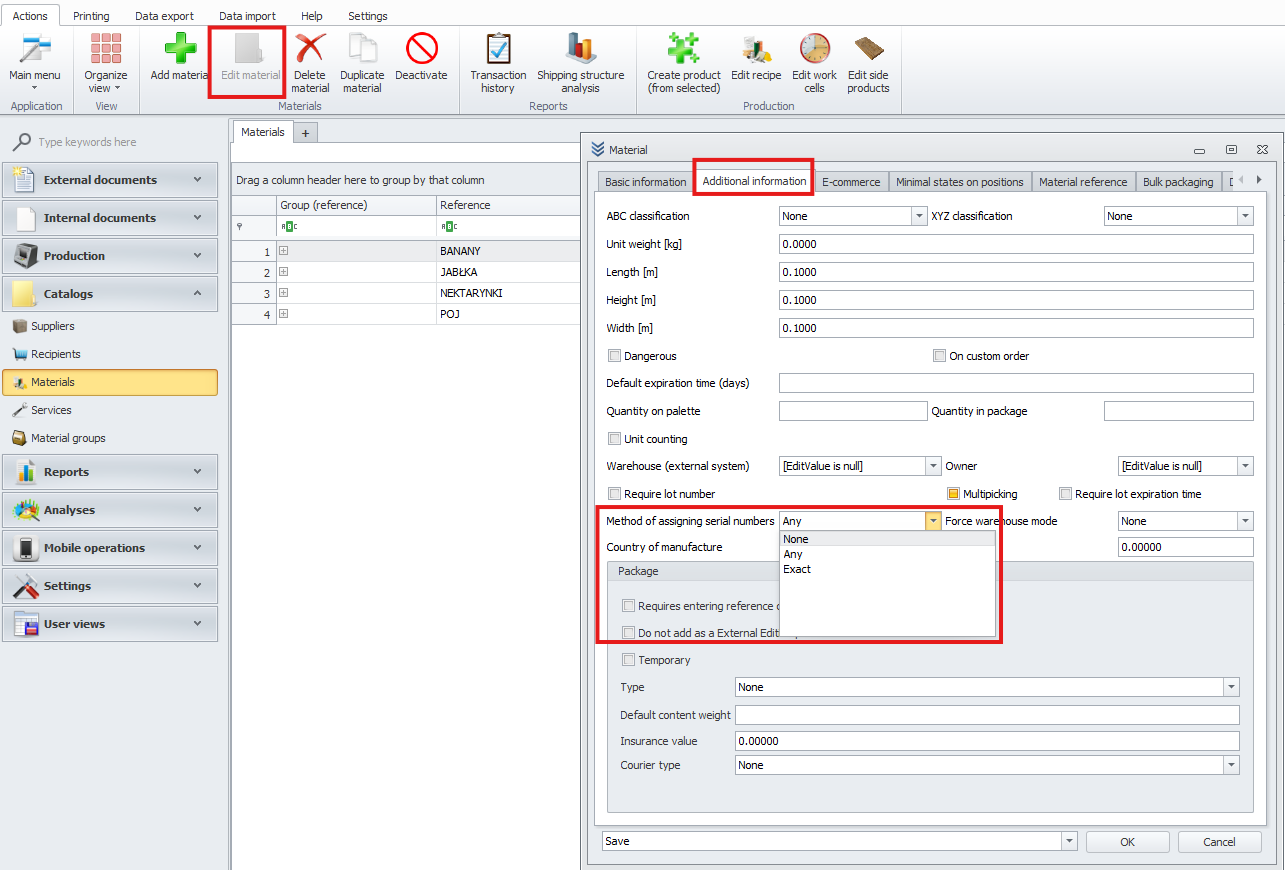
Go to Material Editing.
-
In the Additional Information tab, change the value of the Serial Number Assignment field to:
- None - does not assign a serial number.
- Required – assigning a serial number is mandatory.
- Allowed – assigning a serial number is optional.
-
Enabling Serial Number Verification on Mobile Terminals
To enable serial number verification on mobile terminals:
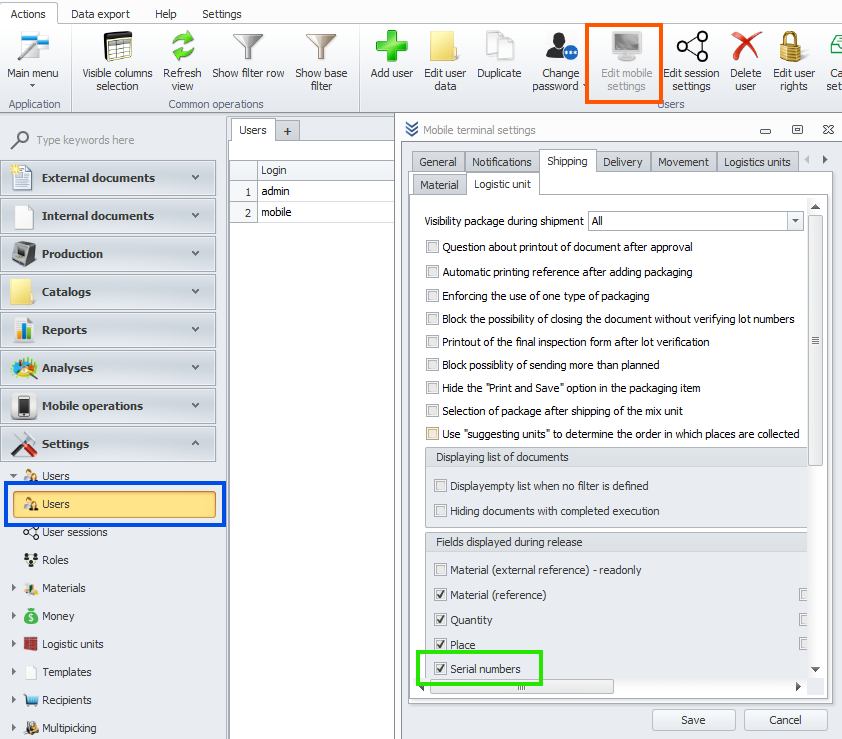
- Go to User Settings.
- Select the user who logs into the mobile device.
- In the top options menu, select Mobile Terminal Settings.
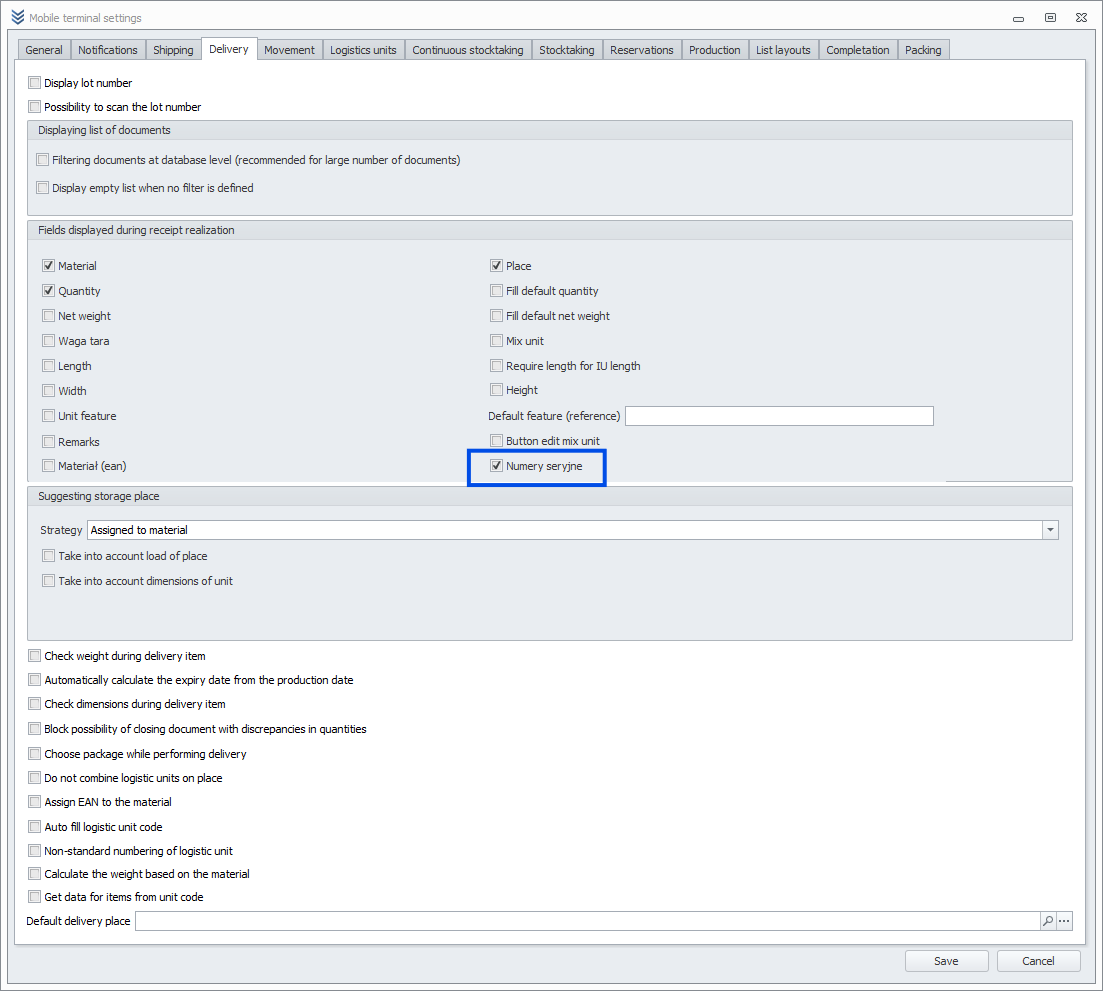
- Navigate to the Receipts and Issues tabs.
- Locate Fields Displayed During Execution.
- Check the box for Serial Numbers.
Shipping:
Delivery:
2. Receiving Items with Serial Numbers
To receive items with serial numbers:
-
Create a PZ Document.
-
Receive items in manual mode to enable serial number assignment.
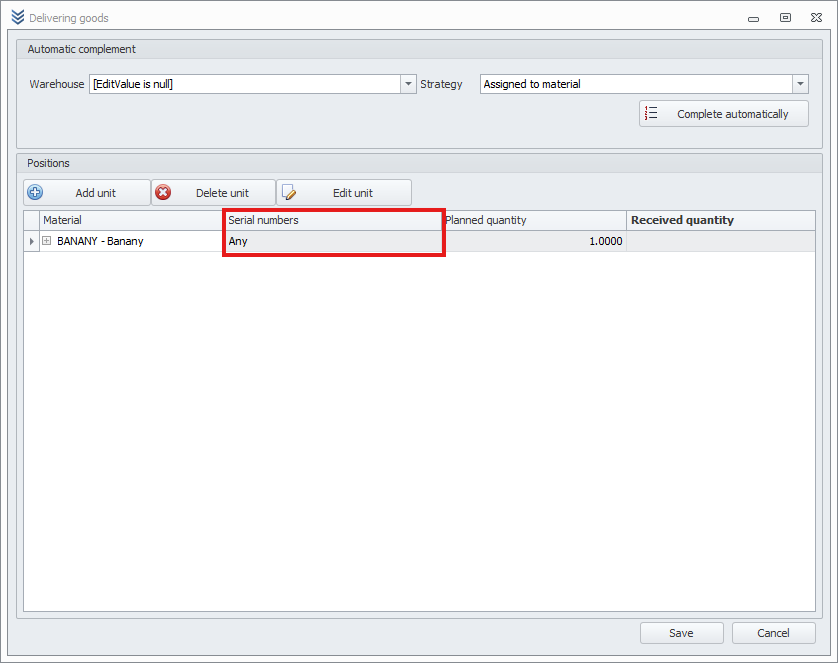
Note: Each item must be assigned to a logistic unit. This can be done:
- Automatically: by clicking Auto-fill.
- Manually: by clicking Add Unit.
-
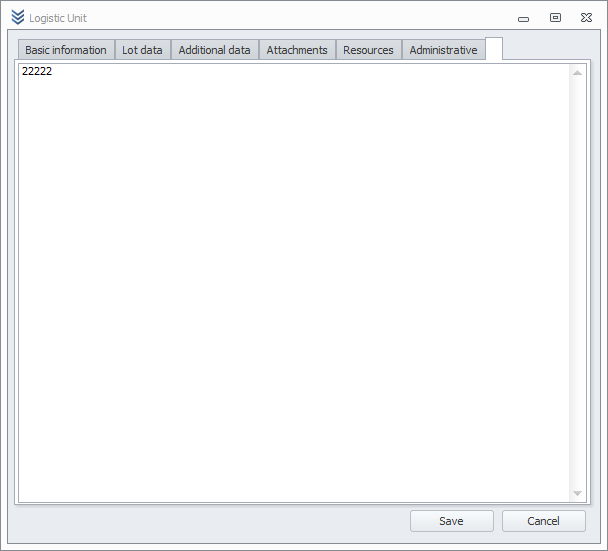
Once the logistic unit is added:
- Open its editing panel.
- Navigate to the Serial Numbers tab.
- Enter the serial numbers of items in that logistic unit.
- Save the changes and complete the item receipt.
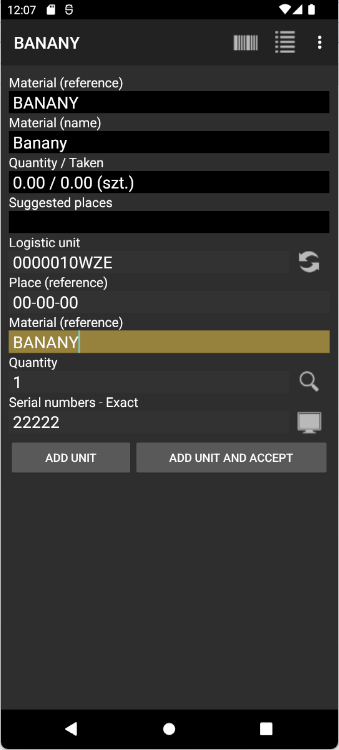
2.1 Receiving Items with Serial Numbers on Mobile Terminals
3. Issuing Items with Serial Numbers
Once the items are received, they can be issued as follows:
-
Create and save a WZ Document.
-
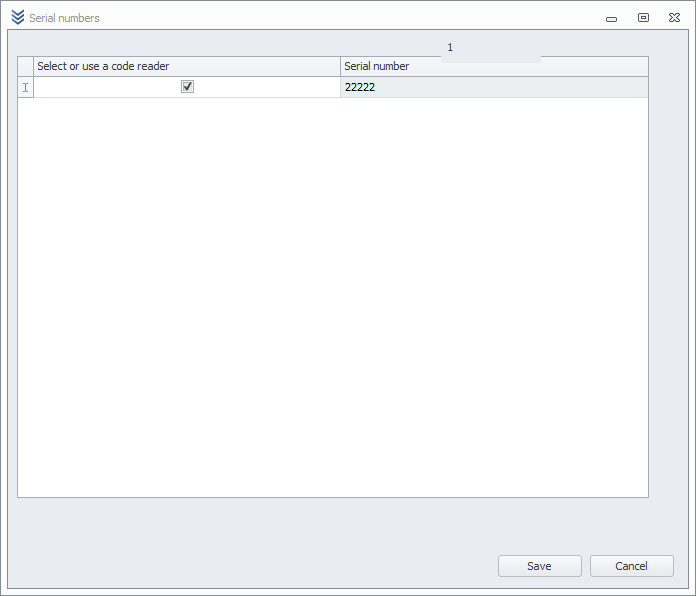
When issuing items with assigned serial numbers, the system will display a list of serial numbers available for the selected item.
-
Choose the appropriate serial number and complete the issuance process.
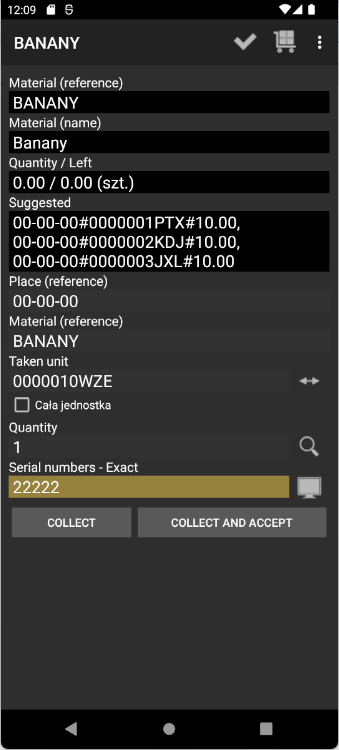
3.1 Issuing Items with Serial Numbers on Mobile Terminals
4. Checking Serial Numbers
After issuing items, you can verify the assigned serial numbers:
-
Open the list of WZ Documents.
-
Locate the relevant document to see which serial number was assigned to the issued item.

Summary
Assigning serial numbers to items in the warehouse system simplifies tracking and inventory management. The process includes configuration, receiving, issuing, and verifying assigned serial numbers in documents. This ensures precise material management in the warehouse.