Delivery corrections
The external document delivery corrections is related to incorrectly created deliveries. Here you can quickly and easily perform delivery corrections in your warehouse.
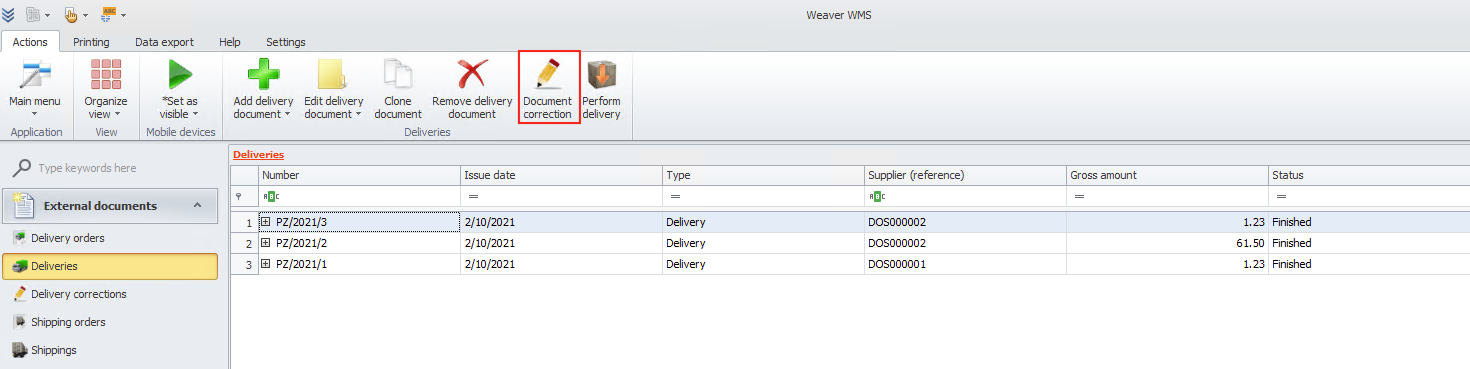
To correct your deliveries choose the document and click the document correction button.
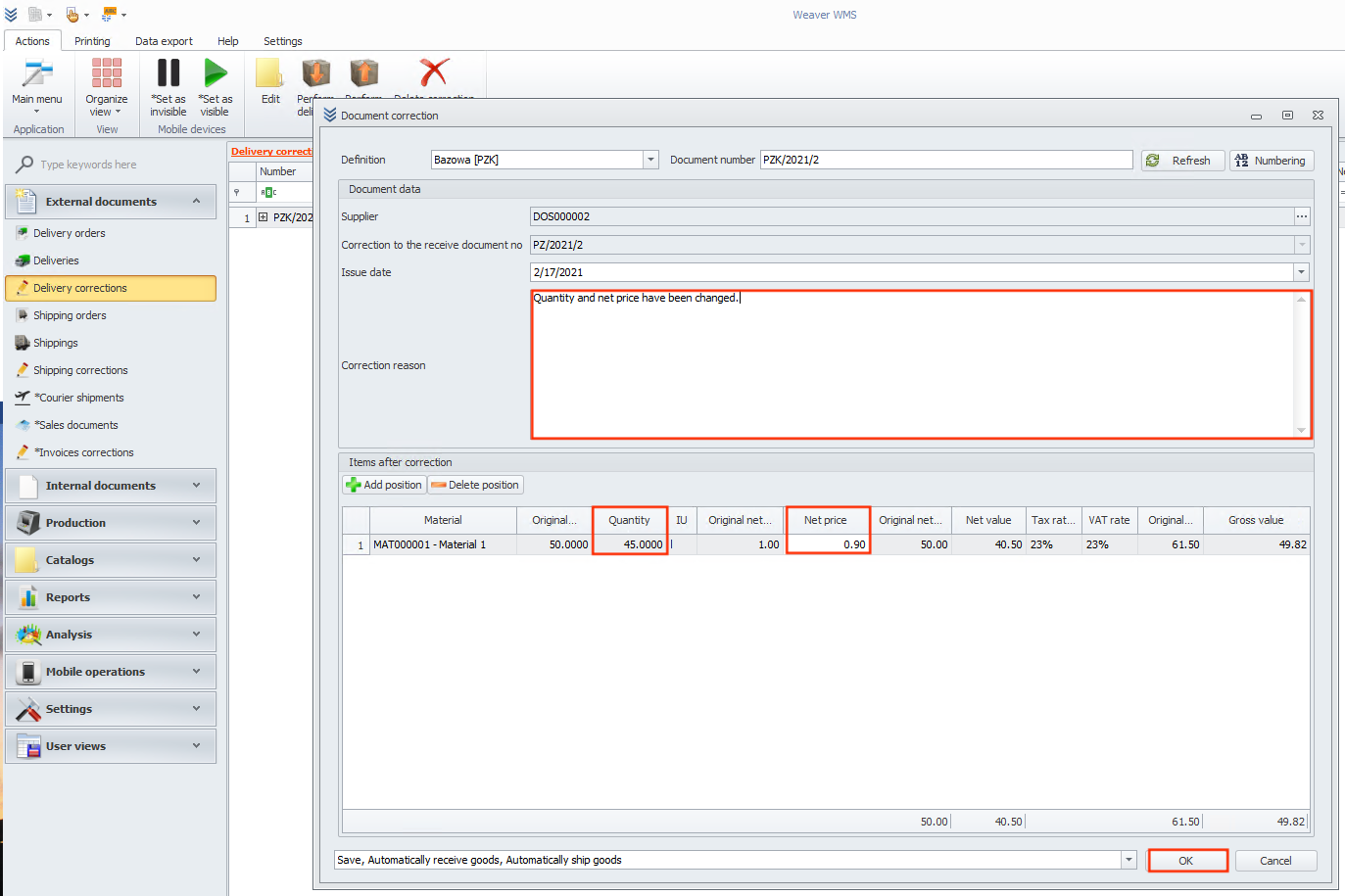
Now you need to write the correction reason and change positions that have been modified.
In the end click the ok button.
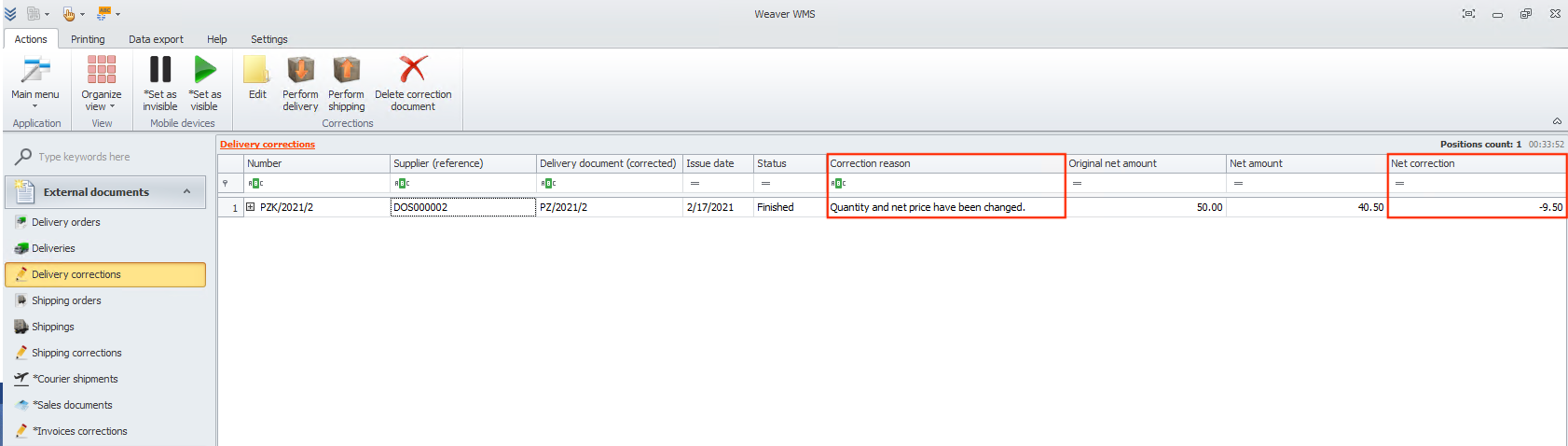
Now Weaver WMS moved you to delivery corrections, and you can see your new document with the reason and net correction.
tip
If you don't want to receive goods now, uncheck the automatically receive goods option from the drop-down menu. After that, you can use the perform delivery button to receive goods.